

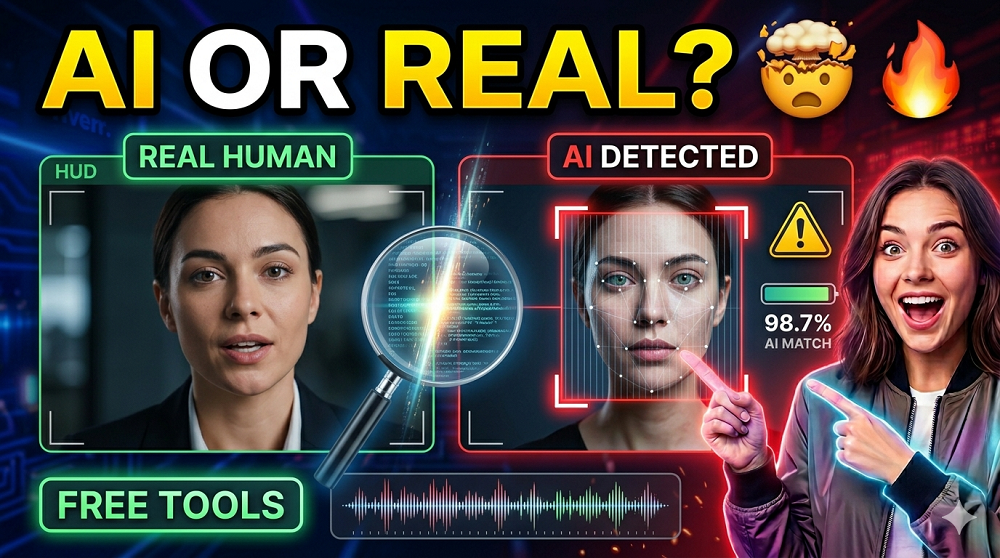
AI generated videos are everywhere right now. And honestly, it is getting harder to tell what is real and what is not. You see a video on social media, it looks convincing, but something feels a little off. Sound familiar?
The good news is, there are tools that can help. In this post, we are going to cover How to Detect AI Generated Videos, what signs to look for manually, and which FREE AI Video Detector Tools actually work in 2025.
Whether you are a journalist, a content creator, or just someone who wants to stay informed, this guide is for you.
Why Does It Even Matter?
Deepfakes and AI generated content is not just a tech problem anymore. It is a trust problem. Misinformation spreads fast, and when fake videos look real, the consequences can be serious. From political propaganda to celebrity scams, the stakes is high.
And with tools like AI Video Generators becoming more powerful and accessible, detecting fake videos has become a essential skill for anyone online.
Common Signs of an AI Generated Video
Before we jump into the tools, lets talk about what you can spot with your own eyes. AI videos, even the advanced ones, still leave clues.
- Unnatural Eye Blinking – Too much or too little. Eyes might not blink at all, or blink in a robotic pattern.
- Weird Hair and Teeth – AI still struggles with fine details. Hair strands look too perfect or blur into each other. Teeth sometimes appear blurry or missing edges.
- Background Inconsistencies – Objects in the background might shift, warp, or disappear between frames.
- Skin Texture Issues – The skin might look too smooth, waxy, or have strange lighting that doesn’t match the scene.
- Lip Sync Problems – Words don’t perfectly match the mouth movements. There’s always a slight delay or mismatch.
- Unnatural Head Movement – The head may move stiffly or in ways that doesn’t feel organic.
- Artifacts Around the Face – Look for glitchy edges, color bleeding, or a “halo” effect around the face or hair.
These are the BASIC visual clues. But for a more reliable result, you need proper tools.
Best Free AI Video Detector Tools in 2025
Here is a curated list of the best tools you can use right now, most of which are completely free or have a generous free tier.
| Tool Name | Type | Free Tier | Best For |
|---|---|---|---|
| Hive Moderation | Video & Image | Yes (API trial) | Businesses & Developers |
| Sensity AI | Deepfake Detection | Limited Free | Journalists & Researchers |
| Microsoft Video Authenticator | Video & Image | Yes | General Public |
| FakeCatcher by Intel | Real-time Deepfake | Research Access | Enterprise & Media |
| Deepware Scanner | Deepfake Video | Yes | Quick Video Scanning |
| AI or Not | Image & Video | Yes (limited scans) | Casual Users |
A Closer Look at Each Tool
1. Hive Moderation
Hive Moderation is one of the more robust platforms out there. It uses deep learning models trained on millions of examples to classify whether a video is AI generated or not. The API trial is free and gives you a good sense of its accuracy. It is more geared towards developers but non-technical users can also explore it through their web demo.
2. Sensity AI
Sensity AI was originally built for journalist and media organizations. It detects deepfakes, face swaps, and other forms of AI video manipulation. Their detection rate is impressive, and it can even tell you WHICH AI model was likely used to generate the content. The free plan is limited but useful for one-off checks.
3. Microsoft Video Authenticator
Microsoft developed this tool specifically to fight election-related misinformation. It analyzes subtle fading and grayscale elements that the human eye cannot detect. One interesting feature is that it gives a Confidence Score from 0 to 100, so you know exactly how suspicious a video is.
4. FakeCatcher by Intel
This is one of the most advanced tools available. Intel’s FakeCatcher works by analyzing Blood Flow Patterns in the video. Real human faces have subtle color changes caused by blood flow, and AI cannot replicate this perfectly. The tool claims a 96% accuracy rate. It is mainly available through research and enterprise partnerships for now.
5. Deepware Scanner
Deepware is a great option for everyday users. You simply upload a video or paste a URL, and it scans the content within minutes. It is completely free for basic use and supports most common video formats. The interface is simple and you don’t need any technical knowledge to use it.
6. AI or Not
AI or Not started as an image detection tool but has now expanded to videos. Its fast, simple, and free for a limited number of daily checks. Great for casual users who just want a quick answer without digging into technical details.
How to Use These Tools – Step by Step
Using most of these tools follow a similar process. Here is a general workflow you can apply to any of them.
- Step 1: Download or copy the link to the suspicious video.
- Step 2: Go to the tool’s website and find the upload or URL input option.
- Step 3: Upload the video file or paste the link.
- Step 4: Wait for the scan to complete (usually takes 30 seconds to 2 minutes).
- Step 5: Review the results. Most tools give you a percentage or a REAL / FAKE label.
- Step 6: Cross-check with a second tool if results are uncertain.
Pro Tip: Never rely on just one tool. Always verify with at least two different detectors before drawing any conclusions.
Can These Tools Be Fooled?
Yes, they can. And that is the honest truth. As AI generators become more sophisticated, detection tools are playing a constant game of catch-up. Some newer AI video models are specifically trained to avoid common detection patterns.
That is why the HUMAN EYE still matters. Combine manual observation with tool-based detection for the best results. Also, context matters a lot. If a video is making an extraordinary claim, that alone should raise a red flag regardless of what the tool says.
Speaking of AI video generators, if you are curious about how powerful these tools actually are today, check out the list of Best AI Video Generators on VeoAIFree. Understanding how these tools work gives you a better sense of what to look for when detecting their output.
AI Image Detection vs Video Detection
Detecting AI images is somewhat easier than detecting videos. Why? Because videos have temporal data, meaning there are patterns across time and frames, not just in a single image. This makes video detection both more complex and more reliable when done correctly.
That said, many of the same visual cues apply to both. If you want to also learn about spotting AI generated images, the same general principles apply. You can also explore AI Image Generators to understand how these visuals are being made in the first place.
Tips for Staying Safe Online
- Always check the SOURCE of a video before sharing it.
- Look for the original upload date and channel credibility.
- Run the video through at least ONE detection tool before spreading it.
- Be extra cautious with videos involving public figures, especially around elections or major events.
- Enable reverse video search on Google or TinEye to find original sources.
Final Thoughts
Detecting AI generated videos is no longer optional. It is a skill that everyone should have in 2025. The tools available today makes this process much easier, and most of them are completely free to use.
Just remember, no single tool is 100% accurate. Use a combination of manual inspection and multiple detection platforms for the most reliable results. Stay curious, stay cautious, and don’t believe everything you see.
If you found this guide helpful, explore more AI tools and resources on VeoAIFree.com and stay ahead of the curve in this fast-moving world of artificial intelligence.
