

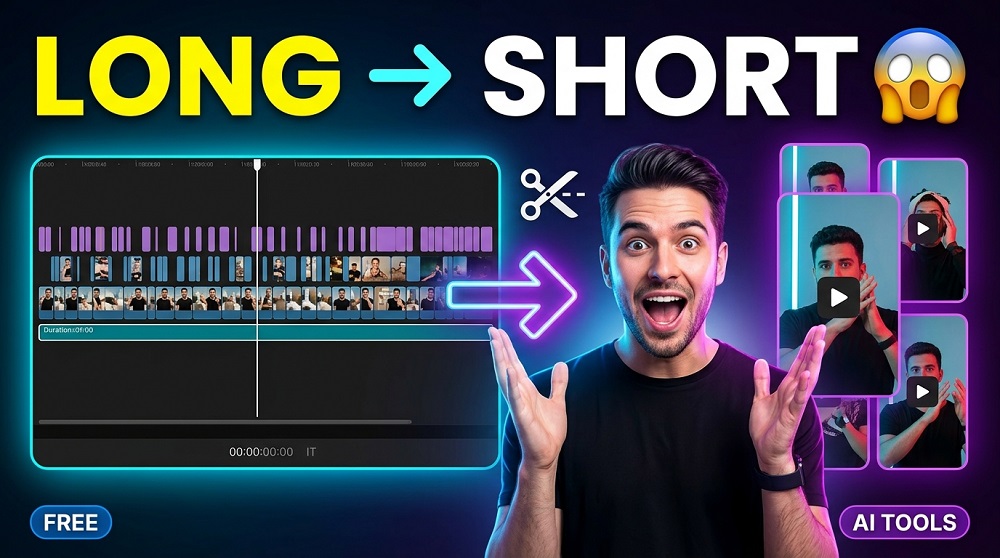
Let’s be honest. You spent hours recording a podcast, webinar, or a long YouTube video. And now it’s just sitting there, not getting the attention it deserves. Sound familiar? This is where VIDEO REPURPOSING comes in.
Video repurposing is basically the process of taking your long-form content and converting it into multiple short, engaging clips for platforms like TikTok, Instagram Reels, and YouTube Shorts. And with AI tools available today, this whole process have become surprisingly easy and fast.
So what exactly are the best AI powered tools for this job? Let’s break it down.
Why Video Repurposing Matters in 2025
Short form video is dominating. Platforms like TikTok, Instagram Reels, and YouTube Shorts are getting BILLIONS of views every single day. If you are only posting your full length videos, you are honestly leaving a lot of reach on the table.
AI repurposing tools solve a very specific problem: they identify the best moments in your long video, add captions automatically, resize the video for different platforms, and export everything in just a few minutes. What used to take a professional video editor 3 to 4 hours, can now be done in under 10 minutes.
And if you are already interested in AI video creation in general, you should definitely check out our complete list of AI video generators that we have reviewed and tested on this site. There are some genuinely impressive tools in there.
Top AI Video Repurposing Tools You Should Know About
Here are the best tools currently available. Each of these tools are unique in its own way, so the “best” option really depends on your specific use case.
1. Opus Clip
Opus Clip is probably the most popular AI repurposing tool right now. It uses AI to analyze your video, find the most engaging moments, and automatically create short clips. It even gives each clip a “virality score” so you know which ones are most likely to perform well.
Key Features:
- AI powered “curation” that identifies high engagement moments
- Auto captions with word highlight (very good for Reels)
- Supports multiple aspect ratios: 9:16, 1:1, 16:9
- Direct social media publishing integration
- AI B-roll and emoji overlays
Is it free? There is a free plan with limited minutes per month. Paid plans starts at around $15/month.
2. Vidyo.ai
Vidyo.ai is another strong option, especially for podcasters and YouTubers. What makes it different from Opus Clip is that it also includes a brand kit feature, so your clips always look on-brand without any extra effort.
Key Features:
- Auto clip creation from long videos
- Custom brand templates and fonts
- Chapter based clipping (very useful for podcast episodes)
- Multi-language caption support
3. Pictory AI
Pictory takes a slightly different approach. Instead of just clipping your videos, it can also turn blog posts and scripts INTO video content. So it works both ways. For repurposing purposes, you can upload a long video and it will summarize and cut it down into shorter clips with auto-generated captions.
It is also one of the better tools for creating VIDEO SUMMARIES from webinars or meetings, which makes it popular with business users.
4. Descript
Descript is more of a full editing platform, but its AI features for repurposing are excellent. The text-based editing feature is honestly one of the most innovative things in the video editing world right now. You edit your video by editing the transcript, just like a Word document. Delete a sentence from the transcript, and it removes that part from the video automatically.
Best For: Podcasters, educators, and content teams who want both editing power and repurposing features.
5. Munch
Munch uses AI to analyze not just the content of your video, but also the CONTEXT. It looks at what topics are currently trending and then picks clips from your video that align with those trends. This is actually pretty smart for brands that want to stay relevant on social media.
Quick Comparison Table
| Tool | Best For | Free Plan | Auto Captions | Starting Price |
|---|---|---|---|---|
| Opus Clip | Content creators, YouTubers | Yes | Yes | $15/month |
| Vidyo.ai | Podcasters, Brands | Yes | Yes | $29/month |
| Pictory AI | Marketers, Business users | Trial only | Yes | $23/month |
| Descript | Podcasters, Educators | Yes | Yes | $24/month |
| Munch | Social media marketers | Limited | Yes | $49/month |
What Features Should You Actually Look For?
Not all repurposing tools are created equal. Before you pick one, here are the things that actually matter:
- AI Clip Detection: The tool should be able to automatically identify which moments in your video are most engaging, not just cut at random timestamps.
- Auto Captioning: This is NON-NEGOTIABLE in 2025. Most people watch short videos without sound. If your tool does not add captions, you are losing viewers.
- Aspect Ratio Support: Different platforms need different video dimensions. 9:16 for TikTok/Reels, 1:1 for LinkedIn, 16:9 for YouTube. Your tool should handle all of this automatically.
- Export Speed: Some tools are very slow with processing. If you are repurposing content regularly, speed really matters.
- Platform Integration: Can you publish directly from the tool? Or do you have to manually download and upload everything? Direct integration saves a LOT of time.
Is AI Repurposing Actually Better Than Hiring a Video Editor?
This is a fair question. And the honest answer is: it depends on what you need.
If you want HIGHLY CREATIVE edits, custom motion graphics, or a very specific stylistic look, then a human editor is still the better choice. But for fast, consistent, high-volume content production, AI tools win every time. They cost less, work faster, and never miss a deadline.
For most creators and small businesses, the AI tools listed above will more than get the job done.
How Does Video Repurposing Fit Into Your Broader AI Content Strategy?
Video repurposing is just one piece of the puzzle. If you are serious about building a content presence using AI, you should be thinking about the full pipeline: from creating original video content, to repurposing it, to distributing it everywhere.
For the creation side of things, we have covered a wide range of tools on this site. You can explore our full guide to AI image generators which can help you create thumbnails, social media graphics, and visual assets to complement your repurposed video clips. Having strong visuals alongside your short clips can seriously improve your click through rates.
And if you want to go even further with original AI video creation, our AI video generator directory is a great starting point. Some of these tools can generate entire videos from just a text prompt, which is a total game changer for content teams.
Final Thoughts
If you are still manually clipping your long videos by hand, you are working too hard. The AI tools available today are genuinely impressive. They save you hours every single week and helps you stay consistent on social media without burning out.
Start with the FREE PLANS first. Opus Clip and Vidyo.ai both offer free tiers that are good enough to test whether repurposing works for your content. Once you see the results, you will understand why so many creators have already made these tools a core part of their workflow.
The content you already have is more valuable than you think. AI is just helping you get more out of it.
