

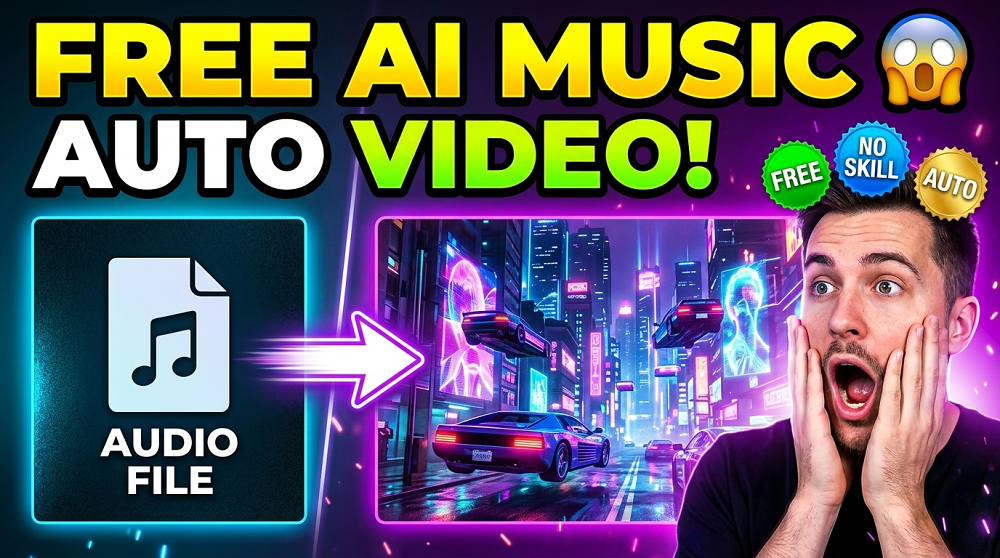
So you have an amazing track ready. The beats are hitting right, the lyrics are on point, and now you are wondering, how do I make a music video without spending thousands of dollars? Well, the good news is, you do not have to. AI has completely changed the game for music creators, and today we are going to talk about the BEST FREE AI music video generators that turn your audio files into stunning visual experiences.
Let us get into it.
Why Do You Even Need an AI Music Video Generator?
Simple answer. Not everyone has a production budget. Independent artists, bedroom producers, and even established creators are turning to AI tools because they are fast, affordable, and honestly pretty impressive. A good visual can boost your stream numbers, grow your audience on YouTube, and make your track feel MORE professional without you needing any video editing skills.
And the best part? Many of these tools are completely FREE or have a free tier that is more than enough to get started.
What Makes a Good AI Music Video Generator?
Before we jump into the list, let us quickly understand what you should be looking for in these tools.
- Audio sync quality (does the visual actually match the beat?)
- Customization options (can you control colors, style, and motion?)
- Export quality (can you download in HD or 4K?)
- Ease of use (is it beginner friendly?)
- Free plan limitations (watermark, video length, resolution)
Keeping these in mind, here are the TOP free AI music video generators available right now.
1. Udio
UDIO is actually known more as an AI music generator, but it also creates visuals along with the audio it produces. If you are already using it to generate music, the visual component comes along naturally. The interface is clean, the outputs are creative, and the free plan gives you a decent number of generations per day.
Is it the most powerful video tool? No. But for someone who wants quick visuals with their AI-generated audio, it works well.
Best for: Artists who generate both music and visuals at the same time.
2. Kaiber AI
Kaiber is one of the more popular names in AI video generation, and it has a free trial that lets you explore its features. What makes KAIBER special is its “audioreactivity” feature. You upload your audio file, choose a visual style or prompt, and the tool generates a video where the visuals react and move in sync with the music.
The results can be absolutely mesmerizing. We have seen music creators use Kaiber for everything from lo-fi beats to heavy metal tracks, and the visual outputs are always unique.
Pros:
- Strong audio-to-visual sync
- Multiple visual style options
- Very active user community
Cons:
- Free trial has limited credits
- Watermark on free exports
Best for: Artists who want cinematic, stylized music videos.
3. Runway ML
RUNWAY ML is a powerhouse in the AI video space. While it is not exclusively a music video tool, it is incredibly useful for creating visuals from audio. The Gen-2 feature allows you to create videos from text prompts or images, and when you combine that with your music, the results are stunning.
The free plan gives you 125 credits to start, which is enough to experiment and create a few short clips. Each video generation uses credits, so you have to be a bit strategic with your usage.
Pros:
- High quality video output
- Multiple generation modes
- Text to video, image to video, and more
Cons:
- Credit system limits free usage
- Learning curve for beginners
Best for: Creators who want PROFESSIONAL quality visuals with full creative control.
4. Lumen5
Lumen5 is a bit different from the others on this list. It is more of a video creation platform powered by AI, and while it is not designed specifically for music videos, it is very useful for lyric videos and promotional content for your tracks.
You can input your lyrics or text, choose from their large media library, and let the AI assemble a visual video for you. The free plan is solid and does not require a credit card to start.
Is it perfect for audio-reactive visuals? Not really. But for lyric videos and promotional clips, it is EXCELLENT.
Best for: Creating lyric videos and promotional content for music releases.
5. Mootion AI
Not as widely known, but MOOTION is a rising tool in the AI music video space. It focuses on creating animated visuals that sync with your uploaded audio. The animations are vibrant, colorful, and feel genuinely artistic.
The free plan has some limitations on video length and export quality, but for short clips or social media content, it gets the job done beautifully.
Best for: Artists who want animated, stylized visuals.
6. Suno AI
Much like Udio, SUNO is primarily an AI music generator but it produces visuals alongside the audio. If you prompt it correctly, it generates images and video-like outputs that represent your track’s mood and genre.
It is free to use with daily credit limits, and the quality of the AI-generated music itself is impressive. The visuals are more static or slow-moving rather than fully animated videos, but they serve as great cover art or simple visualizers.
Best for: Generating music and simple visuals together in one place.
Quick Comparison Table
Here is a side-by-side look at the tools we covered:
| Tool | Audio-Reactive | Free Plan | Watermark Free | Best Use |
|---|---|---|---|---|
| Udio | Partial | Yes | Yes | Music + visuals together |
| Kaiber AI | Yes | Trial credits | No (free tier) | Cinematic music videos |
| Runway ML | Partial | 125 credits | No (free tier) | High quality short clips |
| Lumen5 | No | Yes | No (free tier) | Lyric / promo videos |
| Mootion AI | Yes | Yes | Partial | Animated visuals |
| Suno AI | Partial | Yes | Yes | Music + cover visuals |
Tips for Getting the Best Results From These Tools
Using these tools is one thing. Getting GREAT results is another. Here are a few tips that actually make a difference.
1. Write Detailed Prompts
The more specific your prompt is, the better the output. Instead of writing “music video for a chill song”, try something like “soft glowing particles floating through a dark purple galaxy, slow motion, dreamlike atmosphere”. Specificity matters a lot.
2. Match Your Genre to the Visual Style
A heavy bass EDM track will look weird with soft watercolor visuals. Think about what visually represents your genre and feed that into the tool’s style settings.
3. Use Short Clips and Stitch Them
Most free plans limit you to 3 to 10 second clips. Do not worry. Generate multiple short clips and stitch them together in a free editor like CapCut or DaVinci Resolve. This is how many independent creators build full music videos at zero cost.
4. Experiment With Different Tools
Some tools are better for certain genres. Kaiber works great for atmospheric music, Runway ML is fantastic for cinematic looks, and Lumen5 shines for lyric videos. Use them together for a full production.
5. Always Export at the Highest Quality Available
Even on free plans, try to use the best export settings. A low resolution video can undo all the effort you put into the visuals.
Are These Tools Really Free?
Mostly yes, but with limitations. Here is what “free” usually means for these platforms:
- Limited credits or generations per day/month
- Watermarks on exported videos
- Lower resolution exports
- Shorter video length limits
For most independent artists just starting out, these free tiers are MORE than enough. And as your channel grows or your budget increases, you can always upgrade to a paid plan for more features.
Which Tool Should You Use First?
It depends on what you need.
If you want the most cinematic and professional looking output, start with Kaiber AI or Runway ML. If you need a lyric video quickly, go with Lumen5. If you want to generate the music and visuals at the same time, Udio or Suno AI are perfect choices.
There is no single “best” tool here. The right choice is the one that fits your workflow, your genre, and your creative vision.
The Future of AI Music Videos
This technology is moving FAST. Just two years ago, generating a decent 5-second clip took hours and required technical knowledge. Now, you can get a full 30-second visual in minutes with just a text prompt and an audio file.
What does this mean for the music industry? It means more artists will be able to produce visual content without the traditional barriers of budget and technical skill. It levels the playing field in a massive way.
We are genuinely excited to see where this goes. The tools covered in this post are just the beginning.
Final Thoughts
Free AI music video generators has made it possible for ANY artist, regardless of budget, to have stunning visuals for their music. Whether you are a solo bedroom producer or an independent band trying to grow your online presence, these tools can help you stand out in a crowded space.
Try at least two or three of the tools from this list. Experiment. Play around. Push them to their limits. You might surprise yourself with what you can create.
If you found this helpful, share it with a fellow music creator who needs to see this. And if you want more content about AI tools for music and content creation, stay tuned to VEOAIFREE.COM for regular updates.
