

AI Passport Photo Maker
Create professional, passport size photos that meet official requirements with AI powered background removal and automatic resizing.
See What the AI Passport Photo Maker Can Do
Convert everyday photos into studio quality passport pictures with AI precision.
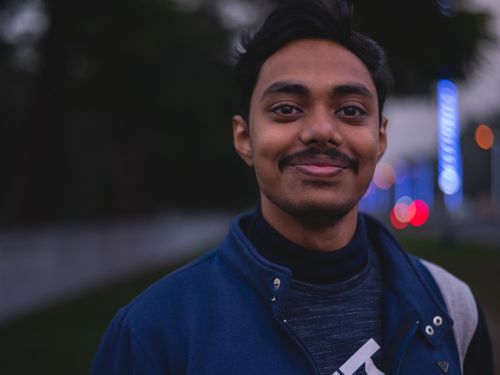 Before
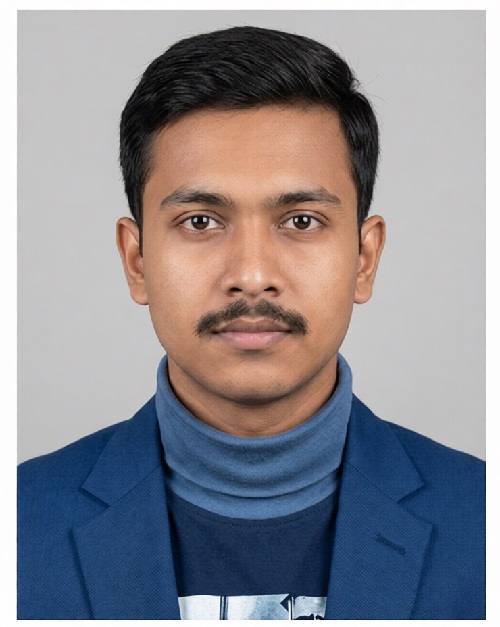 After
After
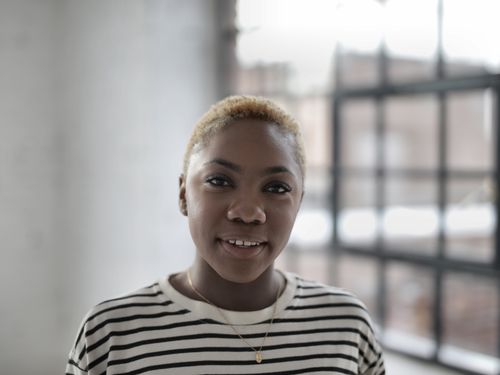 Before
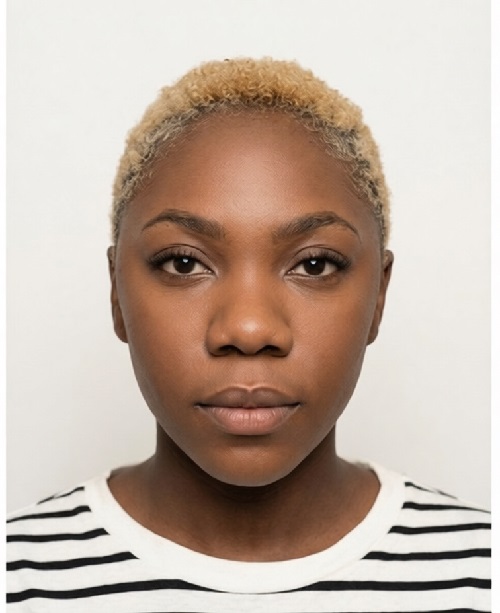 After
After
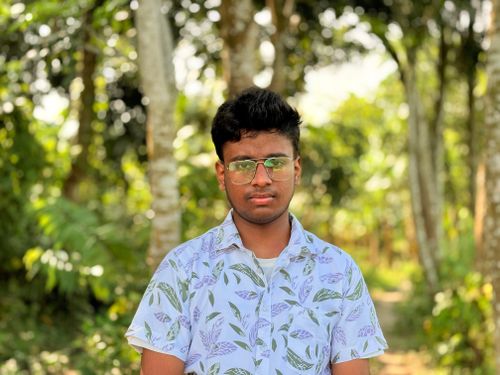 Before
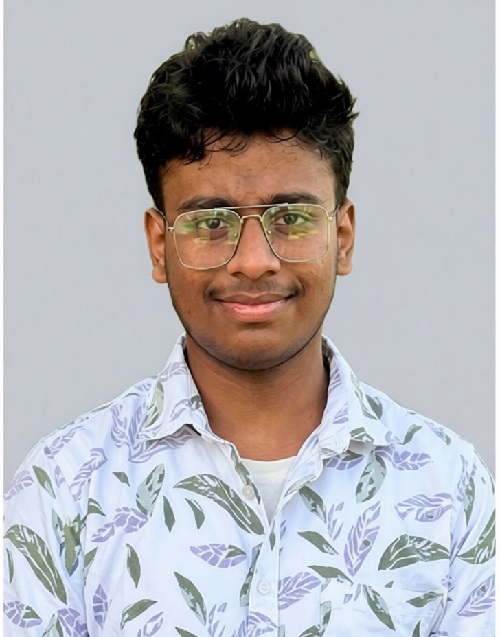 After
After
Create Perfect Passport Photos Instantly with AI
Struggling with passport photo requirements? Bad lighting, wrong background, wrong expression, or an outdated print. Getting an official passport photo taken at a store can be frustrating, expensive, and time consuming. AI Passport Photo Maker solves this in seconds.
The AI Passport Photo Maker on veoaifree.com turns any selfie or ordinary photo into a compliant, professional passport or ID picture. It automatically adjusts size, crops correctly, sets the right background, fixes lighting, and ensures you meet official guidelines for countries around the world.
Skip the photo booth lines and studio visits. Create ready to print passport photos from the comfort of your home.
Ready to Make Your Passport Photo?
AI Passport Photo Maker Free
Upload any clear photo of yourself and get an official-ready passport picture in seconds
Optional: Select country (USA, UK, EU, India, etc.) for specific requirementsYour photos stay private. No watermarks. No credits. No sign-up required.
Open the AI Passport Photo Maker →What the AI Passport Photo Maker Actually Does
This tool goes far beyond simple cropping. It uses advanced AI to analyze your face, adjust proportions, correct lighting issues, remove background distractions, and format everything according to strict government specifications. Here is what sets it apart:
Automatic Compliance
Automatically meets size, head position, background color, and expression rules for dozens of countries.
Smart Background Removal & Replacement
Replaces any background with the official plain white or light gray required for passports.
Lighting & Face Enhancement
Fixes uneven lighting, reduces shadows, and ensures a neutral, natural expression.
Multiple Print Sizes
Generates correctly sized images for printing at home or at any photo shop.
High Resolution Output
Delivers sharp, print-ready photos with excellent detail and clarity.
Quick Variations
Create multiple versions with slight adjustments so you can choose the best one.
How to Create Passport Photos With AI (Step by Step)
- Open the Tool Visit the AI Passport Photo Maker page. No software download or account needed.
- Upload Your Photo Choose any recent clear selfie or portrait. Good lighting and neutral expression work best.
- Select Country Pick your destination country so the AI applies the correct specifications.
- Generate the Photo Watch the AI process your image and create compliant versions in seconds.
- Download & Print Save the final images and print them on quality photo paper or take the file to a shop.
- Use a recent photo taken in even lighting against a plain wall.
- Look straight at the camera with a neutral, relaxed expression.
- Wear normal clothing and avoid heavy makeup or accessories that cover your face.
- Take multiple original shots if possible to give the AI good options.
- Always double-check the final photo against official guidelines before submitting.
Real Situations Where AI Passport Photo Maker Makes a Difference
Travel Emergencies
Need a new passport photo quickly for a last-minute trip or renewal.
Visa Applications
Create perfectly compliant photos for work, study, or tourist visas.
Family & Group Needs
Make official photos for kids, spouses, or elderly parents in one go.
Home Printing
Generate exact sizes for printing passport photos at home without wasting paper.
Why This AI Passport Photo Maker Stands Out
- More Than Simple Editing True AI that understands official requirements and facial proportions for accurate results.
- Extremely Fast Get multiple compliant photos in under a minute instead of driving to a store.
- Truly Free Unlimited use, full resolution downloads, and no hidden fees or watermarks.
- Privacy First Your images are processed securely and not stored after use.
- High Success Rate Excellent at meeting strict government standards across many countries.
- Convenient & Accessible Works on phones, tablets, or computers anytime you need it.
Who Uses the AI Passport Photo Maker and Why
Frequent Travelers quickly renew or create new passport photos whenever requirements change or trips come up suddenly.
Busy Professionals save time and money by avoiding photo studios during work hours.
Parents easily make compliant photos for children's passports, school IDs, or visas without taking them to crowded shops.
Immigrants & International Students handle visa and residency applications with properly formatted photos from anywhere.
Senior Citizens create updated photos for renewals without the physical hassle of going out.
Everyday Users prepare for job applications, government forms, or any official document that requires specific photos.
Get Your Official Passport Photo Ready Today
Stop stressing about photo requirements. Upload any clear selfie and create perfect, rule-compliant passport photos in seconds with AI.
Start Creating Passport Photos Free Now →