

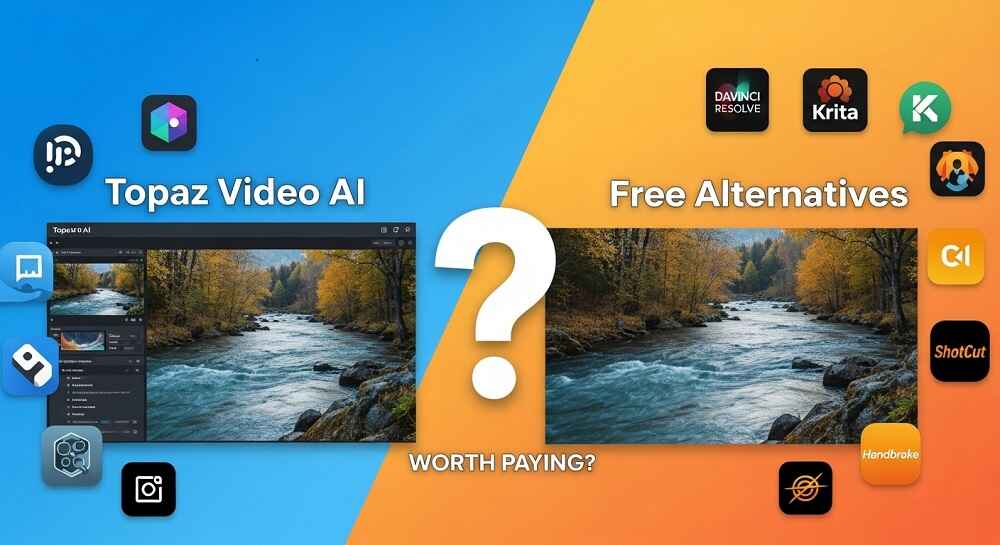
If you have ever tried to upscale an old video or remove motion blur from a clip, you probably came across TOPAZ VIDEO AI. It is one of the most talked-about tools in video enhancement right now. But at a price of around $299 for a lifetime license, many people ask one simple question. Is it really worth it?
The answer is, it depends. And in this post we are going to break down exactly what Topaz Video AI offers, what free tools can do instead, and where the real difference lies for everyday creators.
What Is Topaz Video AI?
Topaz Video AI is a desktop software made by Topaz Labs. It uses machine learning models to enhance video quality in several ways. The software runs locally on your computer, which means your files never leave your machine. That is actually a big deal for people working with private or commercial footage.
Here is what it can do:
- UPSCALING – Increase video resolution from 480p to 4K or even 8K
- DENOISING – Remove grain and noise from dark or compressed footage
- MOTION INTERPOLATION – Increase frame rate from 24fps to 60fps or higher
- DEBLURRING – Fix motion blur and sharpen soft footage
- STABILIZATION – Reduce camera shake in handheld videos
The results, honestly, can look quite impressive. Especially the upscaling on old footage. But the question is, can free tools match that output?
Free Alternatives Worth Knowing About
Yes, free alternatives do exist. And some of them are genuinely useful. Here is a quick look at the most popular ones:
| Tool | Type | Best For | Cost |
|---|---|---|---|
| DaVinci Resolve | Desktop | Color grading, basic upscaling | Free (basic) |
| Kdenlive | Desktop | General video editing | Free |
| Flowframes | Desktop | Frame interpolation | Free |
| Real-ESRGAN (CLI) | Command Line | AI upscaling | Free |
| Online AI Video Tools | Browser-based | Quick generation and editing | Free / Freemium |
These tools are decent. But they come with limitations. Most free desktop tools require technical setup, use command line interfaces, or simply do not match the quality of Topaz in complex scenarios.
Where Free Online Tools Actually Shine
Here is where things get interesting. For a lot of CONTENT CREATORS, the goal is not just to enhance existing footage. It is to generate new video content quickly and efficiently. And for that, free browser-based AI tools have become incredibly powerful.
For example, if you are creating SHORT-FORM VIDEOS for YouTube, TikTok, or Facebook, you do not necessarily need to upscale old footage at all. You can generate fresh, high-quality clips directly using AI video generators.
Tools like the Veo Video Generator let you create cinematic AI videos from text prompts, completely free. No installation needed. And for those creating platform-specific content, the Viral YouTube Shorts Generator is purpose-built to help creators produce engaging short clips optimized for the algorithm.
The point is, the type of video work you do matters a lot when deciding whether to pay for Topaz or go with free alternatives.
Topaz Video AI – Real Strengths
Let us be fair to Topaz. There are things it does that free tools simply cannot match right now.
1. Professional Upscaling Quality
The AI models in Topaz are specifically trained for video upscaling. When you take a 480p clip and upscale it to 4K, the results are genuinely sharp. Free tools like Real-ESRGAN can do something similar but require technical knowledge and do not always handle motion as smoothly.
2. Batch Processing
Topaz allows you to queue multiple videos and process them overnight. This is a big time saver for professionals who deal with large amounts of footage regularly.
3. No Internet Required
Since it runs locally, you can use it without an internet connection. This is useful for filmmakers and editors working in remote locations or with sensitive client material.
4. Consistent Updates
Topaz Labs regularly updates the AI models. You are not stuck with one version forever. The software keeps improving.
Where Topaz Falls Short
Is Topaz perfect? No. Here are some genuine drawbacks.
- HIGH HARDWARE REQUIREMENTS – It needs a powerful GPU to run properly. On older machines, processing is painfully slow.
- PRICE – $299 is a significant investment, especially for hobbyists or beginner creators.
- NOT FOR GENERATION – Topaz can only enhance existing footage. It cannot generate new video content from scratch.
- LEARNING CURVE – Getting the best results requires understanding which AI model to use for each scenario.
Who Should Actually Pay for Topaz?
If you are working with archival footage, restoring old films, or delivering professional work to clients that demands the highest quality, Topaz Video AI is worth the investment. Period.
But if you are a social media creator, a YouTuber, or someone who just wants to produce good video content regularly, you likely do not need Topaz at all. There are FREE tools that can handle your workflow completely.
For instance, if your focus is on AI-GENERATED CONTENT for social platforms, tools like the AI TikTok Videos Generator can produce ready-to-publish clips without any enhancement needed. The content is already generated at the right quality for the platform.
Feature-by-Feature Comparison
| Feature | Topaz Video AI | Free Alternatives |
|---|---|---|
| AI Upscaling (4K) | ✅ Excellent | ⚠️ Limited (Real-ESRGAN) |
| Frame Interpolation | ✅ Excellent | ✅ Good (Flowframes) |
| Denoising | ✅ Excellent | ⚠️ Basic (DaVinci) |
| Video Generation from Text | ❌ Not Available | ✅ Available (online tools) |
| Ease of Use | ⚠️ Moderate | ✅ Easy (browser tools) |
| Cost | $299 lifetime | Free |
| Works Offline | ✅ Yes | ⚠️ Depends on tool |
| Platform-Specific Optimization | ❌ No | ✅ Yes (YouTube, TikTok tools) |
A Smarter Approach for Most Creators
Here is the truth that most people overlook. Video enhancement and video CREATION are two different needs. Topaz is built for enhancement only. But most modern creators need tools for generation and publishing, not restoration.
If you are creating content from scratch, free AI tools already give you a complete workflow. Generate a video with a prompt, adjust the style, and publish it. No upscaling needed because the content is already AI-generated at high quality from the start.
For IMAGE-BASED content as well, free tools have come a long way. If you need to convert a photo to a painting style, a sketch, or a cartoon for your thumbnails or social media posts, there are dedicated free tools that handle that too. This kind of content creation is where free tools beat any paid enhancement software simply because the workflow is different.
Final Verdict: Is Topaz Video AI Worth It?
YES, if you are a professional working with legacy footage, archival material, or client projects that demand 4K upscaling with high precision. The $299 is justified when the quality difference is visible and your clients notice it.
NO, if you are a content creator producing fresh videos for YouTube Shorts, TikTok, Instagram Reels, or Facebook. In that case, free AI generation tools are not just good enough, they are actually better suited for your workflow.
The market has changed a lot in recent years. AI video generation has improved so much that many creators are moving away from enhancement entirely. Why restore old footage when you can just create new, high-quality content in minutes for free?
Before spending $299, ask yourself one thing. Are you working with existing footage that needs restoration? Or are you creating new content for digital platforms? That one question will give you the right answer.
For most people reading this, free tools are more than enough. And the good news is, those tools are only getting better.
