

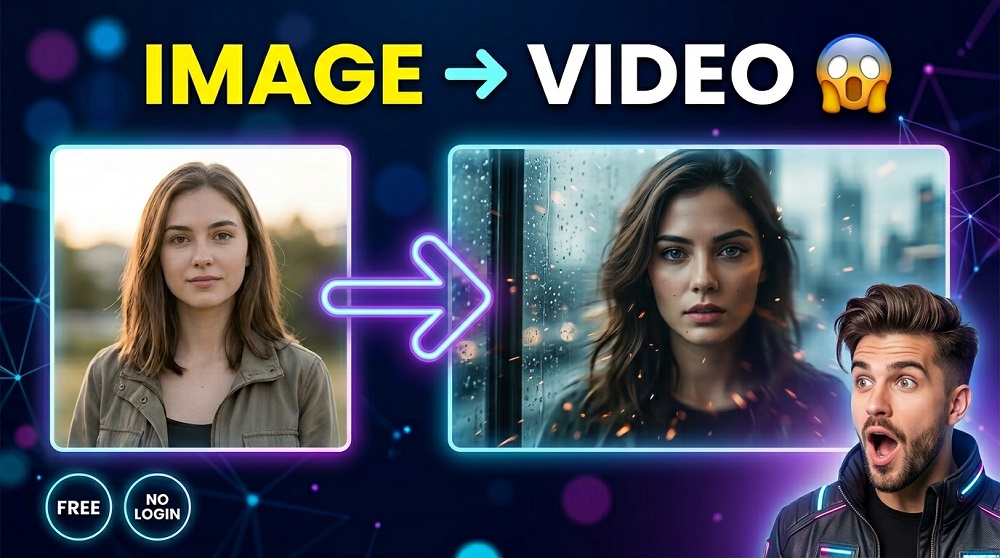
So you have a image. Maybe its a landscape, a portrait, or just a cool photo you took. And now you want to turn it into a moving VIDEO. Sounds like something that would cost money, right? Or atleast require you to sign up somewhere?
Well, not anymore. In 2025, there are actually some REALLY good tools that let you generate AI videos from images completely for FREE, and the best part is you do not even need to create an account. No email. No password. No credit card. Just upload your image and hit generate.
In this post, we are going to walk you through everything you need to know. Which tools actually works, how to use them step by step, and what kind of results you can expect.
Why People Want to Turn Images Into Videos
Good question. There are actually a lot of reasons why someone would want to do this.
- Content creators who want to bring their photos to life for social media
- Marketers who need short animated videos for ads or promos
- Artists who wants to add motion and depth to their artwork
- Regular people who just think its cool and want to experiment
- Developers or students who are learning about AI video generation
Whatever your reason is, the tools we are about to talk about can handle it. And the fact that they are free and require no sign-up makes them even better.
What Is AI Video Generation From Images?
Before we jump into the tools, lets just quickly explain what this technology actually is. Because it is pretty fascinating when you think about it.
AI video generation from images is a process where an artificial intelligence MODEL takes a still image as input and then generates a short VIDEO based on what it sees. The AI basically predicts what motion would look natural in that scene. A waterfall starts flowing. A person’s hair moves in the wind. A cityscape gets camera motion added to it.
This is powered by what are called VIDEO DIFFUSION MODELS. These are the same kind of models behind popular AI image generators, but they have been trained on video data so they understand motion, time, and movement.
Tools like Google’s Veo, Runway, Kling AI, and Luma Dream Machine are all built on this kind of technology. Some of them are fully free with no account needed, and some has free tiers that are generous enough to be useful.
Best Free Tools to Generate AI Videos From Images (No Account Needed)
Lets get into the actual tools. Here is a breakdown of the best options available right now.
| Tool | Free? | Account Required? | Video Length | Best For |
|---|---|---|---|---|
| VeoAIFree.com | Yes | No | Up to 8 seconds | Quick generations, no sign-up |
| Kling AI (Free Tier) | Yes (limited) | Yes | 5-10 seconds | High quality outputs |
| Luma Dream Machine | Yes (limited) | Yes | 5 seconds | Cinematic motion |
| Runway Gen-3 (Free) | Yes (limited) | Yes | 4 seconds | Creative video effects |
| Stable Video Diffusion | Yes | No (via some demos) | 3-4 seconds | Open source / technical users |
As you can see, VeoAIFree.com is one of the very few tools that is completely free AND does not require any account at all. That makes it the easiest option for most people, specially if you just want to try things out quickly.
How to Generate AI Videos From Images on VeoAIFree.com
This is the simplest process you will find anywhere. Lets go through it step by step.
Step 1: Open the Website
Go to veoaifree.com in your browser. No download needed. No app. It works directly in your browser on both desktop and mobile.
Step 2: Upload Your Image
Click the UPLOAD IMAGE button and select the photo or image you want to animate. The tool supports common formats like JPG, PNG, and WEBP. Try to use a image that is atleast 720p in resolution for the best results.
Step 3: Write a Prompt (Optional but Recommended)
You can add a text prompt to guide the motion. For example, if you uploaded a beach photo, you could write something like “gentle waves moving, soft wind blowing through the palm trees.” This tells the AI EXACTLY what kind of motion to generate.
Is the prompt required? No. But using one definitely improves the output quality.
Step 4: Select Your Settings
You can choose things like video length (usually 4 to 8 seconds) and aspect ratio. The default settings works fine for most people, but you can adjust if needed.
Step 5: Click Generate
Hit the GENERATE VIDEO button and wait. The generation usually takes between 30 seconds to 2 minutes depending on how busy the server is. You will see a progress indicator while its working.
Step 6: Download Your Video
Once its done, you can preview the video right in the browser and then download it as an MP4 file. Thats it. No watermarks. No account. No nonsense.
Tips for Getting the Best Results
Okay so you know how to use the tool. But how do you make sure the VIDEO actually looks good? Here are some practical tips.
- Use high-quality images. Blurry or low resolution images produce blurry videos. Always start with the best image you have.
- Write clear prompts. Instead of just saying “move,” try something like “slow zoom in with light bokeh effect” or “camera panning left across a snowy mountain range.”
- Avoid overly complex scenes. Images with too much going on, like a crowded market or a scene with a lot of text, can sometimes confuse the AI. Simple, clean compositions tend to work best.
- Experiment with different prompts. If you do not like the first result, try regenerating with a slightly different prompt. Even small changes can make a big difference.
- Use landscape orientation. Most AI video tools are optimized for 16:9 aspect ratio, so a horizontal image often gives better results than a vertical one.
What Kind of Images Work Best?
Not all images produce equally impressive results. Some types of images tend to work REALLY well with AI video generation, and some types do not. Here is a quick breakdown.
| Image Type | Expected Result | Notes |
|---|---|---|
| Nature scenes (forests, oceans, mountains) | Excellent | Natural motion like wind and water is easy for AI |
| Portraits and faces | Good | Subtle expressions and head movements |
| Cityscapes and architecture | Good | Works well with camera pan/zoom prompts |
| Abstract or artistic images | Varies | Can produce very creative results or messy ones |
| Images with a lot of text | Poor | AI usually distorts or ignores text in motion |
| Dark or low-contrast images | Below average | AI struggles to identify motion areas |
Is It Safe to Upload Images to These Tools?
This is a very fair concern, and you should absolutely think about it before uploading any personal or sensitive images.
For tools that require no account, the images you upload are typically processed in real time and not permanently stored on their servers. However, it is always a good idea to read the privacy policy of any tool you use.
Our general advice is: do not upload photos that contain sensitive personal information, private documents, or anything that you would not want a third party to see. For creative or general-purpose photos, you should be just fine.
Can You Use These Videos Commercially?
Good question. This depends on the specific tool and their terms of service.
For VeoAIFree.com, videos generated on the platform can typically be used for personal and creative purposes. If you are planning to use the videos for commercial projects, like advertisements or client work, it is best to check the current terms on the website as policies can change.
In general, MOST free AI video tools do allow you to use the output for personal, educational, and non-commercial purposes. Commercial use often requires upgrading to a paid plan.
Frequently Asked Questions
Do I really need no account to generate videos on VeoAIFree.com?
Correct. You do not need to sign up, log in, or provide any personal information. Just visit the site and start generating.
How long does it take to generate a video?
Usually between 30 seconds and 2 minutes. It depends on server load and the complexity of your image and prompt.
What resolution are the output videos?
Most generations are in 720p or 1080p. The exact resolution can depend on the tool settings and the quality of your input image.
Can I generate videos on mobile?
Yes. VeoAIFree.com works in mobile browsers without any issues. You can upload images directly from your phone’s camera roll.
Is there a daily limit?
Free tools typically have some form of rate limiting to manage server costs. If you hit a limit, you can usually try again after a few hours.
Final Thoughts
Turning a still image into a moving video was once something only big studios or expensive software could do. Now you can do it for FREE in your browser without even creating an account. That is honestly a big deal.
Whether you are a content creator, a student, or just someone who is curious about AI, tools like VeoAIFree.com gives you access to POWERFUL video generation technology without any barriers. No sign-up. No cost. No limits to your creativity.
So why not give it a try? Pick a photo you like, head over to veoaifree.com, and see what the AI makes of it. You might be surprised at how good the results can be.
And if you found this guide helpful, feel free to share it with someone who might also benefit from it. There are a lot of people out there who still do not know these free tools exist.
