

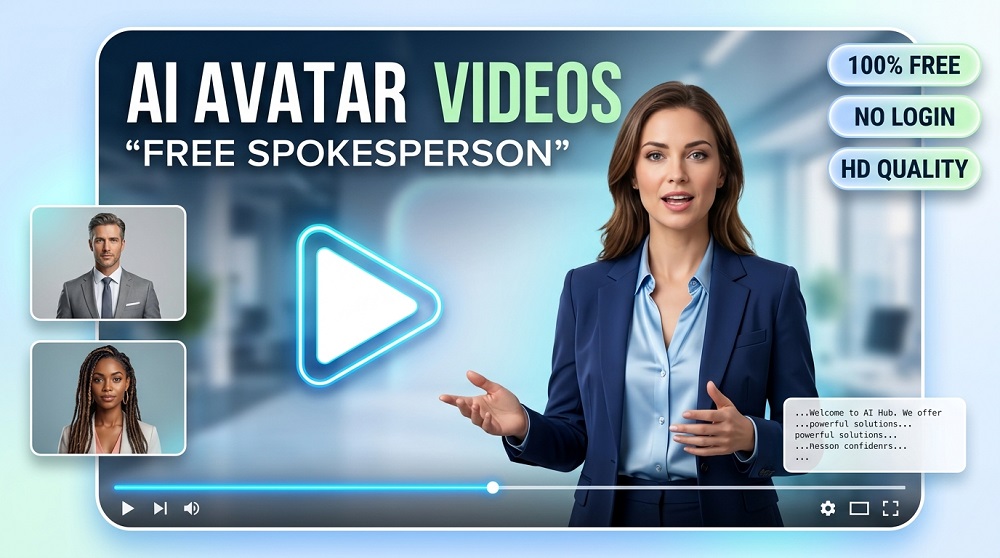
Creating a professional spokesperson video used to cost thousands of dollars. You needed to hire an actor, a cameraman, a video editor, and sometimes even rent a studio. But that was before AI changed everything.
Today, you can create a FULL spokesperson video with a realistic digital avatar, a human voice, and professional visuals, all without spending a single dollar. Yes, its absolutely possible.
So what are the best AI avatar video generators you should try in 2026? Let’s find out.
What is an AI Avatar Video Generator?
An AI avatar video generator is a tool that lets you create videos featuring a digital human or animated character as a spokesperson. You simply type in your script, choose an avatar, select a voice, and the AI does everything else. No camera. No actor. No editing software needed.
These tools are used for marketing videos, explainer content, e-learning courses, product demos, corporate training, and much more. The best part? Many of them offer a FREE plan that is good enough for getting started.
Why Should You Use AI Spokesperson Videos?
Good question. Here are some reasons why businesses and creators are switching to AI avatar videos:
- Save Time: Create a full video in minutes instead of days.
- Save Money: No need to hire actors or rent a studio.
- Multilingual Support: Most tools support 50 to 100+ languages automatically.
- Consistency: Your digital spokesperson always looks the same, every time.
- Scale Easily: Make 10 or 100 videos at the same speed.
For small businesses, startups, and content creators, this is a GAME CHANGER. You don’t need a big budget to look professional anymore.
Best AI Avatar Video Generators (Free Options Available)
Below is a carefully curated list of the best tools available right now. Each of them offers a free tier or free trial so you can start without paying anything.
1. HeyGen
HeyGen is one of the most popular AI avatar video platforms in the world. It offers over 100 realistic digital avatars and supports more than 40 languages. The interface is extremely simple and even a beginner can create a video in under 10 minutes.
The FREE plan gives you a limited number of video credits per month, but its more than enough to test the platform and create a few short spokesperson videos.
- Realistic HUMAN-LIKE avatars
- Text-to-video with custom scripts
- Lip-sync technology that actually works
- Multiple avatar outfits and backgrounds
2. Synthesia
Synthesia is trusted by thousands of companies worldwide including Google, Reuters, and Heineken. It is considered one of the most PROFESSIONAL tools available. The avatars look incredibly realistic and the voice quality is top notch.
Their free plan let you create a limited number of videos per month with access to a small selection of avatars. But for most users who are just starting out, this is more than enough.
- Over 230 AI avatars to choose from
- 140+ languages and accents
- Custom avatar creation (paid feature)
- Built-in slide and template editor
- Screen recording integration
3. D-ID
D-ID is another excellent tool that allow you to animate any photo into a talking head video. You can upload a picture of a person or use their pre-made avatars, write your script, and the tool will create a video where the person speaks your text.
D-ID is especially popular for SOCIAL MEDIA content creators and marketers. The free plan includes a few free credits to explore the platform.
- Animate any static photo to a talking video
- Natural facial expressions and lip movement
- API access for developers
- Works with uploaded or AI-generated faces
4. Elai.io
Elai.io is a rising star in the AI video space. It focuses heavily on e-learning and business training videos. If you are an educator or a business that needs to create training content fast, Elai is absolutely worth checking out.
What makes it unique is the ability to convert a BLOG POST or article URL directly into a video with an avatar narrator. You paste the link and Elai does the rest.
- Blog to video conversion feature
- 80+ AI presenters
- 75+ languages supported
- PowerPoint to video integration
5. InVideo AI (Avatar Feature)
InVideo AI is mainly known as a video editor, but it also includes an AI avatar and spokesperson feature. If you want a tool that combines video editing AND avatar creation in one place, InVideo is a solid choice.
The free plan is generous and gives you access to most features. You can create spokesperson videos with text narration, background music, and branded templates all inside one dashboard.
- All-in-one video creation platform
- AI spokesperson with voice-over
- 5000+ video templates available
- Stock media library included
Quick Comparison Table
| Tool | Free Plan | Avatars Available | Languages | Best For |
|---|---|---|---|---|
| HeyGen | Yes (limited credits) | 100+ | 40+ | Marketing & Sales |
| Synthesia | Yes (limited videos) | 230+ | 140+ | Corporate & Training |
| D-ID | Yes (free credits) | Custom + Pre-built | 50+ | Social Media Content |
| Elai.io | Yes (trial) | 80+ | 75+ | E-Learning & Education |
| InVideo AI | Yes (generous) | Limited | 30+ | All-in-One Video Editing |
What Features Should You Look For?
Not all AI avatar tools are created equal. Before you pick one, here is what you should always check:
- Avatar Realism: Does the avatar look HUMAN enough for your audience? Low quality avatars can actually hurt your brand image.
- Voice Quality: The voice should sound natural and clear, not robotic. Most modern tools use neural text-to-speech which is very good.
- Lip Sync Accuracy: The lip movement should match the words being spoken. Poor lip sync is very distracting to viewers.
- Language Support: If you have a global audience, make sure the tool supports your target languages.
- Export Quality: Always check if the free plan allows HD video export or if it adds a watermark.
- Template Library: A good template library saves you a lot of time when designing your video layout.
How to Create Your First AI Spokesperson Video (Step by Step)
Creating your first video is easier than you might think. Here is a simple process you can follow with almost any tool on this list:
- Sign Up: Create a free account on your chosen platform.
- Choose an Avatar: Pick a digital spokesperson that matches your brand tone. Professional, casual, or somewhere in between.
- Write Your Script: Keep it SHORT. Ideally under 60 to 90 seconds for a first video.
- Select a Voice: Pick a voice that sounds natural for your target audience.
- Add Background and Branding: Upload your logo or choose a branded template.
- Generate and Preview: Let the AI create your video. Always watch the full preview before downloading.
- Download and Publish: Export your video and share it on your website, YouTube, or social media.
Simple, right? The whole process usually take less than 15 minutes for a one minute video.
Free vs Paid: Which One is Right For You?
This is a question a lot of people ask. Should you stick with the free plan or upgrade?
Here is an honest answer: the FREE plans are great for testing and occasional use. But if you plan to create videos regularly for your business, you will eventually want to upgrade. The main limitations of free plans are usually:
- Watermarks on exported videos
- Limited video length (often under 2-3 minutes)
- Fewer avatar and voice choices
- Lower resolution exports
- Monthly credit limits
For beginners, starting free is absolutely the RIGHT MOVE. Get comfortable with the tool first, then decide if its worth paying for.
Are These Avatars Really That Realistic?
Honestly, yes. The technology have improved dramatically in the last two years. Modern AI avatars from platforms like Synthesia and HeyGen look and move in a way that can easily pass as real humans in many contexts, especially in short videos where the viewer is not looking too closely.
That said, if you zoom in or look carefully, you can still tell the difference. For professional business use though, the quality is more than sufficient.
Final Thoughts
AI avatar video generators have made it possible for ANYONE to create professional spokesperson videos without spending a fortune. Whether you are a solo creator, a small business owner, or a marketing team, these tools can save you enormous amounts of time and money.
The five tools we covered today, HeyGen, Synthesia, D-ID, Elai.io, and InVideo AI, are all excellent starting points. They each have free plans that let you explore without any financial commitment.
Start with one, experiment, and see what works best for your specific use case. Once you find a tool that click for you, the possibilities are really quite exciting.
Good luck creating your first AI spokesperson video. You don’t need a studio. You don’t need an actor. You just need the right tool and a good script.
Ready to get started? Bookmark this page and try at least one of these tools today.
