

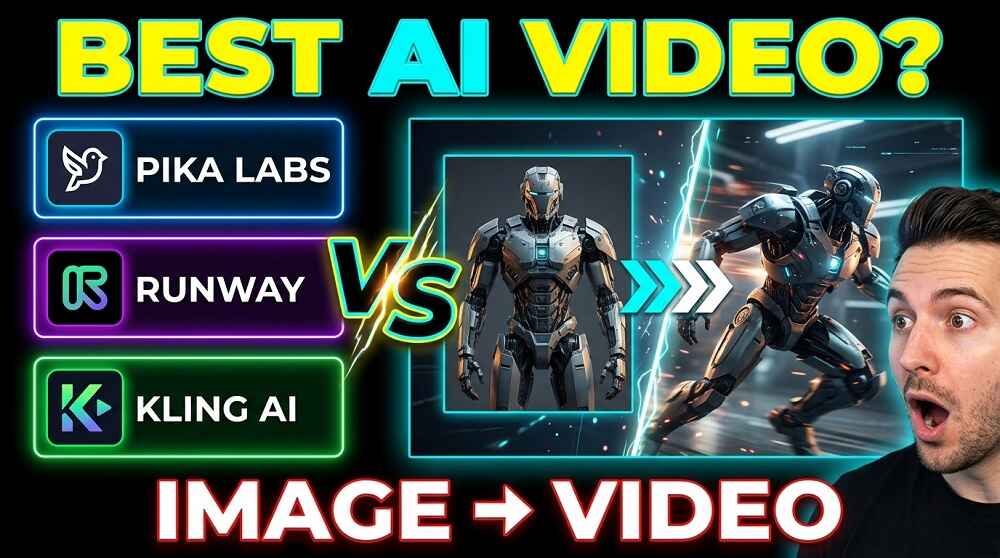
If you have ever tried to turn a still image into a moving video using AI, you probably already know how confusing it can get. There are so many tools out there and each one promises you the BEST results. But do they actually deliver? Lets be honest, most people don’t have time to test everything. So we did it for you.
In this post, we are comparing three of the most talked about AI image-to-video tools right now: Pika Labs, Runway, and Kling AI. We will look at what each one does well, where they fall short, and which one is actually worth your time in 2025.
Before jumping in, if you are looking for a full list of AI video tools or image generators to explore, check out our All AI Video Generators page. We keep it updated regularly.
What Is Image to Video AI, Exactly?
Its simple. You upload a static image, describe what motion you want, and the AI generates a short video clip from it. The result can be anything from a gentle camera pan to a full character animation. The QUALITY of that output is what separates a good tool from a great one.
A Quick Overview of Each Tool
Before going deep, here is a quick comparison table so you get the big picture fast.
| Feature | Pika Labs | Runway Gen-3 | Kling AI |
|---|---|---|---|
| Free Plan Available | Yes | Yes (limited) | Yes |
| Max Video Length | 4 seconds | 10 seconds | 5 seconds (standard) |
| Motion Control | Basic | Advanced | Very Advanced |
| Face/Human Accuracy | Average | Good | Excellent |
| Realistic Physics | Moderate | High | Very High |
| Best For | Beginners | Creators | Professional Use |
| Pricing | Freemium | Freemium | Freemium |
Now lets get into the actual details.
Pika Labs: Great for Beginners, But Has Limits
Pika Labs was one of the first tools to make image-to-video genuinely accessible. You can get started with it very quickly, and the interface is not complicated at all. For someone who is just getting into AI video generation, Pika is probably the easiest entry point.
What it does well:
- Simple, clean interface
- Good for short cinematic clips
- Works well with illustrated or stylized images
- Fast generation times
Where it struggles:
- Realistic human movement often looks a bit unnatural
- Limited control over SPECIFIC motions (like hand gestures or walking)
- Outputs are usually capped at 4 seconds which can feel too short
- Physics in complex scenes can break down quickly
Is Pika Labs bad? No, not at all. But if you are trying to create something that looks truly professional or photorealistic, you will hit its ceiling pretty fast. For quick content creation or social media clips, its actually quite solid.
Runway Gen-3 Alpha: The Creator’s Favorite
Runway has been in the game for a while and it shows. Their Gen-3 Alpha model is currently one of the most capable image-to-video systems available. What makes Runway stand out is the level of CONTROL it gives you over the motion.
You can guide the camera, set motion intensity, and even use text prompts on top of your image input to direct how the scene should move. For content creators who want their videos to feel intentional and not just randomly generated, this is a BIG deal.
What it does well:
- Supports up to 10-second clips which is the longest among the three
- Excellent camera motion controls
- High quality rendering with good lighting accuracy
- Consistent outputs even with complex scenes
Where it struggles:
- The free plan is very limited and runs out fast
- Pricing can get expensive if you use it frequently
- Faces can sometimes look slightly distorted in fast motion
- Requires some learning curve to get the best results
Who is Runway best for? Honestly, its for people who are serious about video creation. Whether you are a filmmaker, a marketer, or a social media creator who cares deeply about visual quality, Runway gives you tools that actually matter.
Kling AI: The One That Surprised Everyone
Kling AI came out of nowhere and kind of blew peoples minds. Developed by Kuaishou (a major Chinese tech company), Kling AI focuses heavily on REALISTIC motion, especially for human figures. The physics engine behind Kling is noticeably better than most competitors right now.
If you upload an image of a person and ask Kling to animate them walking, running, or even dancing, the result is often shockingly good. The body proportions stay consistent, the movement flows naturally, and the output does not fall into that uncanny valley problem that many other tools have.
What it does well:
- Best-in-class human motion and body animation
- Extremely realistic physics for objects and environments
- Strong consistency between frames
- Supports image uploads with precise motion prompts
- Offers a professional mode for longer outputs
Where it struggles:
- Interface can feel a bit less polished compared to Runway
- Generation can be slightly slower
- Some features are gated behind paid plans
- Less integration with third-party platforms compared to Runway
Is Kling AI worth trying? Absolutely. If you are working with images that involve PEOPLE or complex physical environments, Kling AI is currently the strongest option in the market.
Side by Side: Real World Use Cases
Lets put them in practical scenarios so you understand which tool actually fits your needs.
Scenario 1: Animating a portrait photo
Winner: Kling AI. The human face and body movement is simply more natural and consistent.
Scenario 2: Creating a cinematic product video
Winner: Runway. The camera control and lighting quality make it the go-to for polished commercial content.
Scenario 3: Making fun social media clips quickly
Winner: Pika Labs. Its fast, easy, and good enough for casual content.
Scenario 4: Fantasy or illustrated art animation
Winner: Pika Labs or Runway depending on the complexity. Both handle stylized art well.
Pricing: What Will It Actually Cost You?
All three tools offer free plans, but the limits vary quite a bit.
- Pika Labs gives you a decent amount of free credits to start with and its monthly paid plans are reasonably priced.
- Runway offers a limited free tier and then charges per second of video generated, which can add up quickly.
- Kling AI has a free tier as well and their paid plans are competitive, especially considering the quality you get.
For a full and updated breakdown of all the AI tools available and what they offer, you can also browse our All AI Image Generators page where we cover tools that can help you create better source images before feeding them into any of these video generators.
So, Which One Actually Wins?
Okay, here is the honest answer. There is no single BEST tool for every person. It really depends on what you are trying to do.
If you are a beginner or just experimenting, start with Pika Labs. The learning curve is low and you will get results fast.
If you are a professional creator who needs cinematic quality and control, Runway is your best bet. Yes it costs more but the output quality and flexibility justify it.
If you are working with human figures, realistic scenes, or you simply want the most lifelike motion possible, Kling AI is the clear winner right now. The way it handles body physics is ahead of the competition.
For most people who want a BALANCED option that works well across different types of images, Kling AI is probably the best place to put your money in 2025.
Final Thoughts
The image-to-video space is moving incredibly fast. What was impressive six months ago is now considered average. Pika Labs, Runway, and Kling AI are all genuinely impressive tools, and each one is actively improving.
The best strategy is to test all three with your specific use case. Most of them have free plans that let you do exactly that. See which one feels right for your workflow and your content goals. You don’t have to commit to just one either. Many creators use a combination depending on the project.
We will continue to update our All AI Video Generators page as new tools launch and existing ones get major updates, so bookmark it if you want to stay ahead of the curve.
