

AI Deepfake Photo Maker
An advanced AI tool designed to generate hyper realistic synthetic portraits, or manipulate photos with lifelike precision in seconds.
See What the AI DeepFake Photo Maker Can Do
An advanced image editing tool that leverages artificial intelligence to seamlessly create deepfake images.
 Before
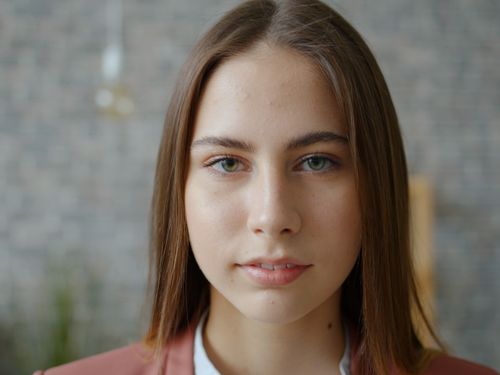 After
Before
After
Before
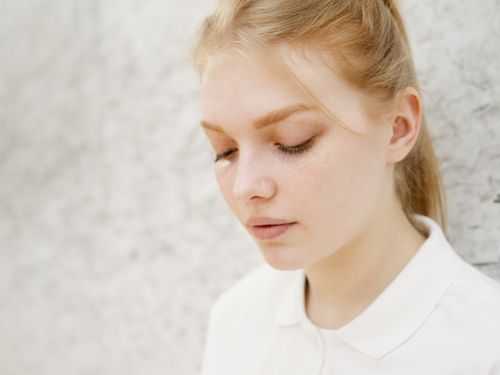 After
Before
After
Before
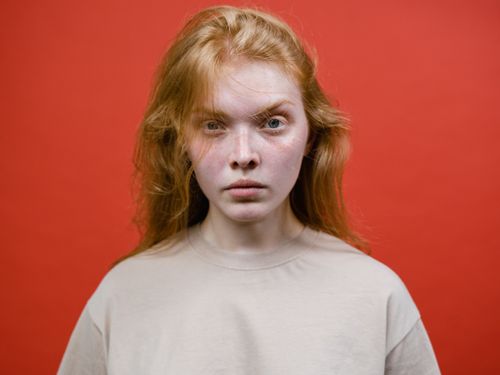 After
After
Create Realistic Face Transformations With AI
Ever wondered what you would look like with a different hairstyle, in a historical costume, or as a character from your favorite movie? The AI Deepfake Photo Maker on veoaifree.com lets you explore creative face transformations by swapping or blending faces in photos with impressive realism. It is a fun and powerful way to experiment with visual ideas without needing advanced editing skills.
This tool analyzes facial features, lighting, skin tones, and expressions from your source photos and generates natural looking results. Whether you are making funny memes, visualizing costume ideas, creating content for social media, or just having creative fun with friends, it delivers high quality transformations quickly and easily.
Always remember to use this technology responsibly and with consent when involving other people. The best results come from clear, well lit photos and playful, positive ideas.
Ready to Create a Transformation?
AI Deepfake Photo Maker Free
Upload source and target faces to generate realistic results
Upload face A • Upload face B • Choose transformation styleYour photos are processed privately. No watermarks. No sign up required.
Open the Deepfake Photo Maker →What Makes This AI Deepfake Photo Maker Special
Many face transformation tools produce unnatural or cartoonish results. This one focuses on realism and quality through advanced AI that pays attention to important details:
Advanced Face Mapping
The AI carefully maps facial structure, expressions, and features to create smooth and believable transformations.
Lighting and Skin Matching
It automatically adjusts for different lighting conditions and skin tones so the final image looks natural and cohesive.
Expression Preservation
Keeps the original emotion and pose from the target photo while applying the new face characteristics.
Multiple Style Options
Choose from realistic, artistic, vintage, cinematic, or other creative styles depending on your project.
Quick Refinements
Use simple text instructions to adjust results like "make the smile wider" or "soften the lighting."
High Resolution Output
Generates sharp, detailed images suitable for social media, prints, or further creative work.
How to Create Transformations (Step by Step)
- Open the Tool Go to the AI Deepfake Photo Maker on veoaifree.com. No account needed.
- Upload Photos Select a clear source face and a target photo where you want to apply it.
- Choose Settings Pick a style or describe the kind of transformation you want.
- Generate The AI creates the transformed image in seconds.
- Refine and Download Make small adjustments if needed and download your final result.
- Use high quality, front facing photos with good lighting for the best transformations.
- Similar angles between source and target photos usually produce smoother results.
- Clear faces without heavy makeup or accessories work better initially.
- Experiment with different source faces to see what creates the most interesting outcomes.
- Use follow up prompts to fine tune details like hair, expressions, or lighting.
Fun and Creative Ways to Use the Tool
Entertainment and Memes
Create hilarious face swaps with celebrities, friends, or fictional characters for fun social media content.
Creative Projects
Visualize yourself in different eras, costumes, or artistic styles for personal art or storytelling.
Virtual Try Ons
See how different hairstyles, makeup looks, or accessories might suit you before making changes.
Content Creation
Develop unique visuals for videos, thumbnails, or digital art projects.
Why People Love This AI Deepfake Photo Maker
- Realistic Results Produces natural looking transformations that go beyond simple filters.
- Fast and Easy Get impressive results in seconds without learning complex software.
- Unlimited Creativity Experiment with endless combinations and ideas completely free.
- Private Processing Your uploaded photos are handled securely and not stored.
- High Quality Sharp, detailed outputs ready for sharing or further editing.
- Fun for Everyone Perfect for casual entertainment or serious creative projects.
Who Uses the AI Deepfake Photo Maker
Content creators and influencers make engaging thumbnails, memes, and visual stories that stand out online.
Friends and families create funny and heartwarming face swaps for entertainment and memories.
Digital artists use it as a starting point for unique artwork and character designs.
Marketers experiment with different looks for campaigns and promotional visuals.
Hobbyists explore creative ideas and virtual makeovers just for fun.
Unlock Your Creative Ideas Today
Transform ordinary photos into something extraordinary with realistic face swaps and creative variations. The AI Deepfake Photo Maker makes advanced visual effects accessible, fast, and enjoyable for everyone. Always use it responsibly and have fun exploring new possibilities.
Try Face Transformations Free Now →