

AI Photo to 3D Converter
Convert flat photos into immersive 3D models with realistic depth, textures, and lifelike details using AI.
See What the AI Phot To 3D Converter Can Do
Generate detailed 3D assets from your photos for gaming, AR/VR, animation, and digital design with AI.
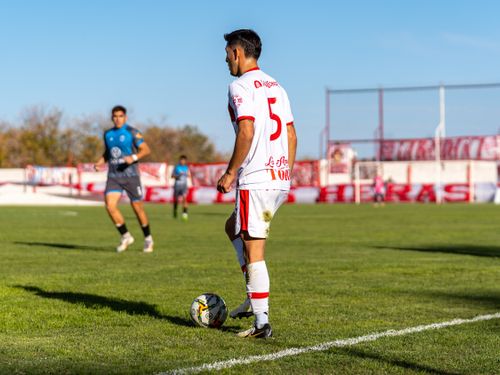 Before
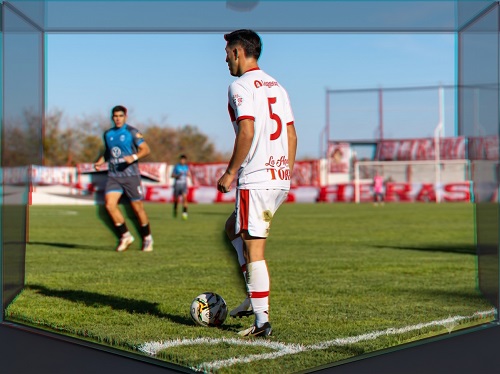 After
After
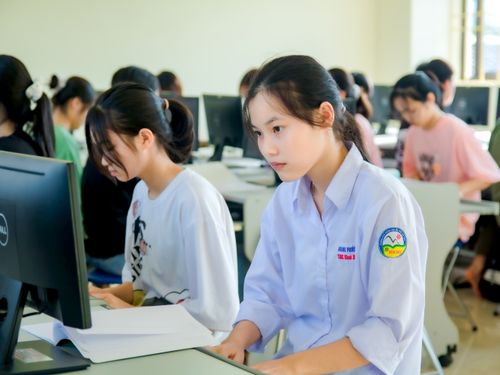 Before
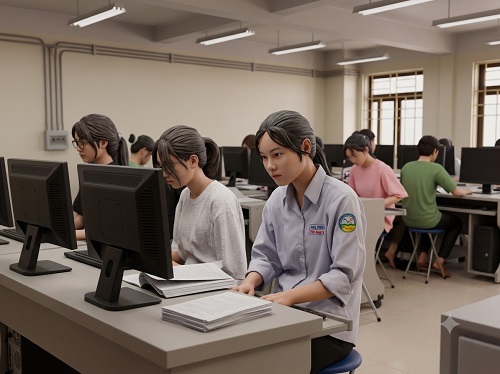 After
After
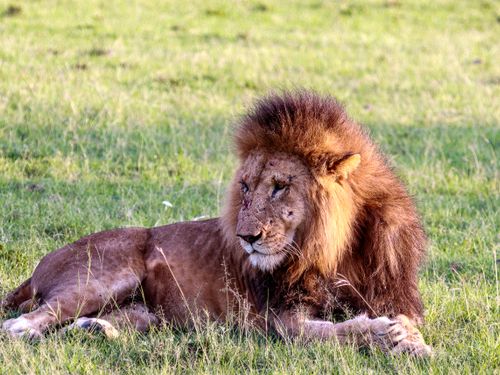 Before
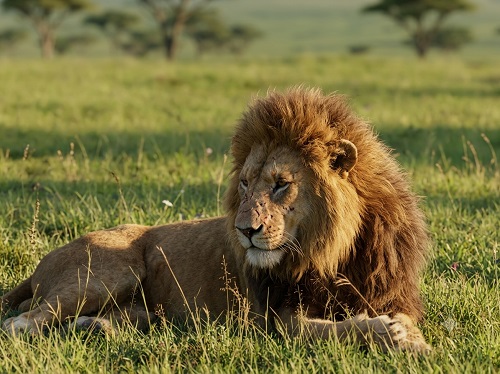 After
After
Turn Any Photo Into a 3D Model in Seconds
That beautiful portrait of your dog, the detailed product shot you took for your online store, or the travel photo from your last vacation could become so much more than a flat image. The AI Photo to 3D Converter on veoaifree.com transforms ordinary 2D photos into fully rotatable, viewable 3D models that you can explore from every angle, use in games, print on a 3D printer, or showcase in virtual spaces.
Traditional 3D modeling requires expensive software, technical skills, and hours of work. This tool makes the process incredibly simple. Just upload a clear photo and the AI analyzes lighting, shapes, textures, and depth cues to build a realistic three dimensional version of your subject. The results are detailed enough for professional use yet easy enough for complete beginners to create something impressive.
Whether you want to bring family memories into the digital world, create assets for creative projects, visualize products in 3D, or simply experiment with a fun new technology, this converter opens up exciting possibilities that were previously out of reach for most people.
Ready to Create a 3D Model?
AI Photo to 3D Converter Free
Upload a clear photo and watch it come to life in three dimensions
Upload your photo • Choose output style or resolutionYour photos are processed privately. No watermarks. No sign up required.
Open the 3D Converter →What Makes This AI Photo to 3D Converter Special
Converting photos to 3D used to be a complex process limited to experts. This tool changes that by focusing on accuracy, speed, and usability. Here is what sets it apart:
Intelligent Depth Analysis
The AI studies lighting, shadows, perspective, and object shapes to understand depth and structure, creating believable three dimensional forms rather than flat approximations.
Texture and Material Preservation
Original colors, surface details, fabric textures, skin tones, and material properties are carried over into the 3D model for realistic results.
Multiple View Generation
Automatically creates consistent 3D models that look correct from different angles even though it started from a single photo.
Export Flexibility
Download your model in popular formats like OBJ, GLB, or STL suitable for 3D printing, game engines, virtual reality, or online showcases.
Quick Refinements
Use simple instructions like "make the hair more detailed" or "smooth the edges" to improve specific parts of the model.
High Resolution Output
Generate detailed models suitable for professional projects while still offering faster lower resolution options for quick previews.
How to Convert Photos to 3D Models (Step by Step)
- Open the Tool Visit the AI Photo to 3D Converter on veoaifree.com. No software installation or account creation needed.
- Upload Your Photo Choose a clear, well lit image with good detail on your subject. Front facing or three quarter views usually work best.
- Select Options Choose your desired output resolution, style preferences, or any specific focus areas like face detail or clothing texture.
- Generate the Model The AI processes the image and builds the 3D version. You can watch a preview as it develops.
- Review and Export Rotate and inspect your new 3D model from all angles. Make adjustments if needed and download in your preferred format.
- Use the highest resolution original photo possible for more accurate details.
- Choose photos with even lighting and minimal shadows when possible.
- Front or angled views of people and objects work better than extreme side profiles.
- For products, take photos against simple backgrounds to help the AI focus on the main subject.
- Try multiple photos of the same subject from slightly different angles if you want even more accurate results.
Creative Ways People Are Using Photo to 3D Conversion
Personal Memories
Turn favorite family photos into 3D models that can be viewed in virtual reality or printed as small keepsakes.
Product Visualization
E commerce sellers create rotatable 3D models of their products so customers can inspect them from every angle online.
Game Development
Indie developers quickly generate character and object models from reference photos to populate their game worlds.
Art and Design
Artists and sculptors use 3D conversions as starting points for digital sculptures or 3D printed artwork.
Why This AI Photo to 3D Converter Stands Out
- Surprisingly Simple No technical background needed. The entire process feels magical compared to traditional 3D modeling.
- Fast Results What used to take professional modelers hours now happens in minutes.
- High Quality Output Models have good geometric accuracy and texture detail suitable for many real world applications.
- Completely Free Create as many 3D models as you want without paying or hitting usage limits.
- Private Processing Your photos and generated models stay completely private.
- Multiple Export Options Compatible with popular 3D software, printing services, and online platforms.
Who Uses the AI Photo to 3D Converter
3D printing enthusiasts turn meaningful photos into physical objects they can hold in their hands.
Online store owners provide interactive 3D product views that help customers make confident buying decisions.
Game and animation creators rapidly prototype characters and props from real world reference images.
Architects and designers convert reference photos into 3D elements for visualizations and presentations.
Educators and students bring historical artifacts, scientific specimens, and art pieces into interactive 3D learning environments.
Hobbyists and creators experiment with turning their everyday photos into digital collectibles or virtual gallery pieces.
Give Your Photos a New Dimension
Stop leaving your favorite images trapped in two dimensions. Transform them into interactive 3D models that you can explore, share, print, and build upon. The AI Photo to 3D Converter makes advanced technology accessible and fun for everyone.
Convert Your First Photo to 3D Free Now →