

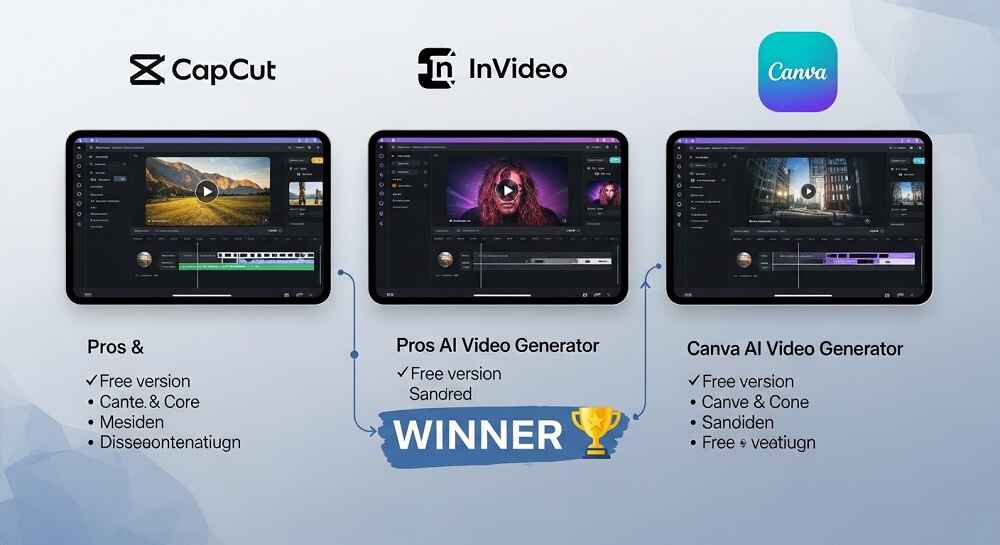
If you are a content creator, marketer, or small business owner, you have probably heard of these three tools. CapCut, InVideo, and Canva are all popular names in the AI video space. But which one actually wins when it comes to FREE video generation?
That is exactly what we are going to answer today.
A Quick Overview of Each Tool
Before we get into the comparisons, let me give you a short intro on each platform.
CapCut is made by ByteDance, the same company behind TikTok. CapCut has rapidly evolved from a mobile video editor into a comprehensive creative suite with powerful AI features. It’s best known for its accessibility and massive library of templates, making it incredibly easy to produce trendy, social-media-ready videos in minutes.
InVideo takes a different approach. InVideo AI excels as a script-to-video platform designed for speed and efficiency, making it an ideal choice for marketers, content creators, and small businesses. Its core strength lies in transforming a simple text prompt or a detailed script into a complete, publish-ready video in minutes.
Canva is the one everyone knows for design. Canva has evolved from a simple graphic design tool into a comprehensive visual communication platform, integrating powerful AI video creation tools directly into its famously user-friendly interface. Its “Magic Media” feature allows users to generate short video clips from text prompts.
So all three are useful. But they work very differently.
Feature-by-Feature Comparison
Let’s look at what each tool actually offers side by side.
| Feature | CapCut | InVideo | Canva |
|---|---|---|---|
| AI Video from Text | Yes | Yes (advanced) | Yes (limited clips) |
| Free Plan Available | Yes | Yes (with watermark) | Yes (credit-limited) |
| Templates | Large library | 5,000+ | Millions |
| Auto Captions | Yes | Yes | Yes |
| Voice Over / TTS | Yes | Yes (with cloning on paid) | Limited |
| Background Removal | Yes | Yes | Yes |
| Mobile App | Yes | Limited | Yes |
| Watermark on Free Plan | Sometimes | Yes | No (most exports) |
| Multi-language Support | Yes | 50+ languages | Limited |
AI Editing Capabilities
This is where things start to get really interesting. Because all three platforms use AI differently.
CapCut’s AI Tools
CapCut is a good choice if you want to do the editing yourself, with AI helping along the way. CapCut includes AI text-to-speech, voice changing effects, auto-captioning, and professional audio editing tools like equalizers, noise reduction, and audio ducking.
So with CapCut you are still doing a lot of work yourself. The AI assists you. It does NOT build the whole video for you automatically. For short form content like TikTok and Reels, this is actually perfect.
InVideo’s AI Tools
InVideo AI takes things further by generating full videos from a simple text prompt. Script, visuals, voiceover, music, and subtitles are all included. The standout is its Magic Box feature, which lets you edit generated videos with plain text commands like “delete this scene” or “change the accent.”
That is VERY powerful. If you want a full video made fast with almost zero editing, InVideo is the strongest option here.
Canva’s AI Tools
Although it wasn’t possible to generate a full-length, multi-scene video, its original AI-generated content was some of the best visual quality we’ve seen. Canva also offers a range of supplementary editing features, such as the ability to add text overlays and animations.
Canva’s video AI is not as deep as the other two. But the QUALITY of individual clips is often impressive. The downside is you can not really edit the generated clip content directly.
Free Plan Breakdown
Let’s be honest. Most people reading this want to know what you can actually do FOR FREE. Here’s the breakdown:
CapCut Free Plan:
- Provides access to most video editing tools, text-to-video generation, and a selection of AI avatars and templates. Free exports are typically available up to 1080p, but some exports may include a CapCut watermark at the end.
- Overall, one of the most generous free plans available.
InVideo Free Plan:
- Includes 10 minutes of AI generation per week and 4 video exports per week. Exports on the free plan are watermarked. You receive 10GB of storage for your projects along with access to script-to-video workflow, automated voiceovers, and a generous library of free stock media.
- The watermark is a real limitation if you want to publish professionally.
Canva Free Plan:
- Canva offers a robust free-forever plan with access to many core design tools and templates, though AI features are credit-limited. Paid plans like Canva Pro unlock premium features, a larger content library, and more generous AI credits.
- You get a lot with the free plan. But AI video generation credits run out quickly.
Best Use Cases for Each Tool
Still not sure which one is right for you? Here is a simple breakdown:
CapCut is best for:
- TikTok and Instagram Reels creators
- Anyone who wants manual control with AI assistance
- Creators who edit on mobile
InVideo is best for:
- Marketers who need BULK video content fast
- Bloggers who want to turn articles into videos
- YouTube faceless channel creators
Canva is best for:
- Designers who already use Canva for other work
- Teams who need brand-consistent video content
- People who prioritize visual quality over automation
For social media content creators, CapCut AI offers fast, mobile-friendly workflows and generous free access for short clips. For YouTube or faceless content channels, InVideo AI’s script-to-video pipeline is purpose-built for long-form content production at scale. For creators already using Canva, Canva AI Video adds video generation without learning a new platform.
Limitations You Should Know
Every free tool has weaknesses. Let’s be upfront about them.
For InVideo, results can be a mixed bag. The AI-selected visuals can miss the mark, especially for niche or complex topics, requiring manual swaps for 30-50% of clips.
For CapCut, while CapCut’s AI is strong in visual style and structure, it still struggles with creating smooth movement on generated clips.
For Canva, while you can add text and animations to your finished AI video product, you can not edit the actual video clip content directly.
So none of these tools is perfect. They all have trade-offs.
What About Truly Free AI Video Generation?
Here is the thing. CapCut, InVideo, and Canva all have restrictions on their free plans in some way. Either watermarks, credit limits, or export caps.
If you want to generate videos with NO limits and NO registration required, platforms like VeoAIFree’s AI Video Generator powered by Google Veo 3.1 let you create high quality videos completely free. You can also explore specialized formats like TikTok Video Generator, Facebook Reels Generator, and Viral YouTube Shorts all in one place without signing up for anything.
That is a BIG advantage if you are just getting started and don’t want to deal with credit limits or watermarks.
Pricing Summary
| Tool | Free Plan | Paid Starting Price |
|---|---|---|
| CapCut | Yes (generous) | ~$9.99/month |
| InVideo | Yes (watermarked, 4 exports/week) | ~$28/month |
| Canva | Yes (credit limited) | ~$15/month |
So, Which One Wins?
It honestly depends on what YOU need. But here is our verdict:
If you want the BEST free plan for editing and short form content, CapCut wins. It gives you the most tools without hitting a wall.
If you want fully automated VIDEO CREATION from just a text prompt, InVideo wins. The script-to-video pipeline is unmatched in this category.
If you care most about VISUAL QUALITY and already live inside the Canva ecosystem, Canva wins for polished, brand-consistent results.
But if you want truly unlimited, no-watermark, no-signup AI video generation right now, the tools at VeoAIFree’s All AI Video Generators page offer a solid alternative powered by Google’s latest models. No account needed. No restrictions.
