

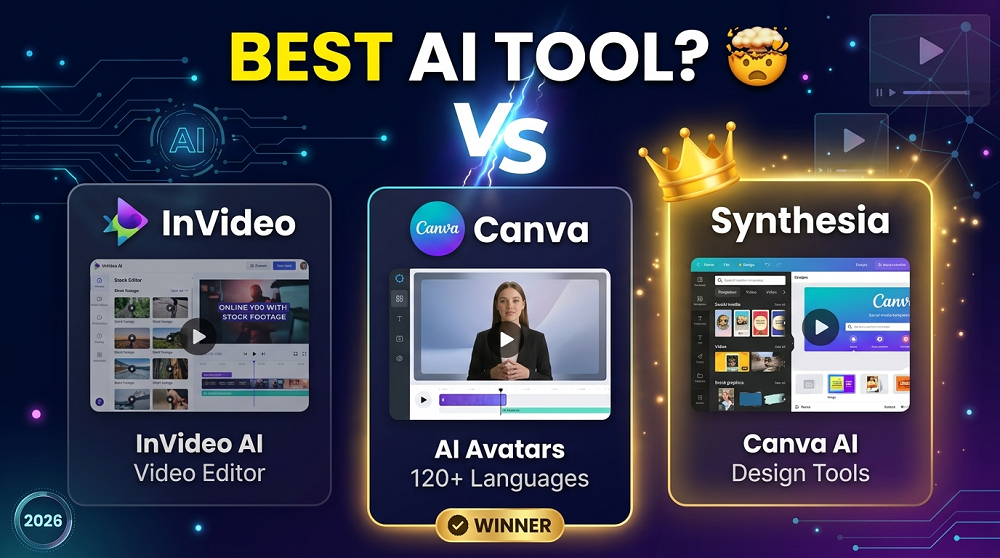
So you want to create videos with AI. Great idea. But then you open your browser and suddenly you are staring at three different tools, InVideo, Canva, and Synthesia, and you have NO IDEA which one to pick.
That confusion is completely normal. All three are popular, all three use AI, and all three claim to be the best. But the truth is, they are built for VERY DIFFERENT purposes. Using the wrong one can waste your time and money.
In this post, we are going to break down each tool honestly, compare them side by side, and help you decide which one actually fits your needs in 2026.
What Is Each Tool, Really?
Before jumping into features, lets understand what each of these tools is actually designed for.
InVideo is a video creation platform that focuses on turning text, scripts, and prompts into full videos. Its powered by AI and is made for content creators, marketers, and YouTube creators who want to produce videos quickly without editing skills.
Canva started as a graphic design tool, but over the past couple years it has added strong video features and AI capabilities. Its more of a ALL-IN-ONE design platform that also does videos.
Synthesia is a completely different beast. It is built specifically for AI avatar videos. You type a script, choose a digital human presenter, and the tool creates a professional-looking talking head video. No camera, no microphone needed.
So already you can see, these tools have different goals.
Key Features Comparison
| Feature | InVideo | Canva | Synthesia |
|---|---|---|---|
| AI Video Generation | Yes | Limited | Yes |
| AI Avatars / Presenters | No | No | Yes (200+ avatars) |
| Text to Video | Yes | Basic | Yes |
| Stock Footage Library | Yes (8M+ clips) | Yes | Limited |
| Templates | 5000+ | 1000+ video | 60+ |
| Voiceover / AI Voice | Yes | Yes | Yes (140+ languages) |
| Screen Recording | No | Yes | No |
| Social Media Export | Yes | Yes | Yes |
| Custom Branding | Yes | Yes | Yes |
| Collaboration | Limited | Yes | Yes |
| Free Plan | Yes | Yes | Limited trial |
InVideo: Best for Content Creators and Marketers
If you need to create a LOT of videos fast, InVideo is one of the most efficient tools out there right now.
The AI in InVideo can take a simple text prompt or a full script and turn it into a complete video with stock footage, subtitles, transitions, and background music. Its honestly impressive how much work it does automatically.
What InVideo does WELL:
- Text to video is fast and reliable
- Huge stock media library gives you lots of options
- Voiceover generation is natural sounding
- Good for YouTube, Instagram Reels, TikTok, and Facebook videos
- The AI scene matching is pretty accurate
What InVideo does NOT do well:
- The free plan has a watermark and is quite limited
- It can sometimes pick the wrong footage for your script
- Customization takes time if you want something unique
- Not ideal for corporate training or professional presentations
Who should use InVideo?
Honestly, InVideo is PERFECT for solo creators, small businesses, and social media marketers who publish content regularly. If you need to make 10 to 20 videos a week, this tool saves you hours.
Pricing (2026 approximate):
- Free plan available
- Business plan starts around $30/month
- Unlimited plan for heavy users
Canva: Best for Designers Who Also Need Video
Canva is not a dedicated video tool. But in 2026, it has become good enough that millions of people use it for video creation alongside their design work.
The AI features in Canva include text to image, AI video backgrounds, and a basic text to video feature. Its not as powerful as InVideo for video specifically, but the advantage is that you can design your ENTIRE brand presence in one place.
What Canva does WELL:
- Drag and drop interface is the easiest of all three
- Perfect for social media graphics AND short videos together
- Great for presentations that include video elements
- Brand Kit feature keeps everything consistent
- The collaboration tools are excellent for teams
- Canva Pro is very affordable
What Canva does NOT do well:
- AI video generation is not as advanced as InVideo or Synthesia
- No AI avatars or digital presenters
- Not suitable for long-form videos
- Limited for professional corporate video production
Who should use Canva?
Canva is ideal for small business owners, social media managers, educators, and anyone who needs to create both graphics and short videos. If you are already using Canva for design, adding video there makes total sense.
Pricing (2026 approximate):
- Free plan is very generous
- Canva Pro is around $15/month
- Canva Teams for businesses
Synthesia: Best for Professional AI Avatar Videos
Now this is where things get interesting. Synthesia is in a completely different category compared to the other two.
Lets say you work in HR and you need to create employee onboarding videos. Or you are in marketing and need product demo videos in 10 different languages. Or maybe you run an online course and want a professional presenter but don not have a studio.
Synthesia solves ALL of these problems. You write a script, pick an AI avatar from their library of over 200 digital humans, choose a language, and the tool generates a professional video with a realistic-looking presenter.
What Synthesia does WELL:
- The AI avatars are the MOST REALISTIC in the industry right now
- Supports 140+ languages and accents (massive advantage for global brands)
- You can create a custom avatar that looks like YOU
- Perfect for corporate training, e-learning, and product demos
- Easy to update videos by just editing the script
- Clean, professional output every time
What Synthesia does NOT do well:
- It is expensive compared to the other two
- Not great for entertainment or social media content
- Limited creative flexibility (you are mostly working with templates)
- The avatars, while realistic, still look AI-generated to trained eyes
Who should use Synthesia?
Synthesia is the CLEAR choice for corporate teams, L&D professionals, SaaS companies, and anyone who needs to produce polished presenter-style videos at scale. The multilingual support alone makes it worth it for global businesses.
Pricing (2026 approximate):
- Personal plan around $29/month
- Enterprise pricing for teams
- No free plan, but a free trial with limited videos
Head to Head Comparison: Which Wins in Each Category?
Ease of Use
Canva wins here. Its drag and drop interface is built for non-technical users and the learning curve is almost zero.
AI Video Quality
InVideo and Synthesia both produce high quality results, but for different styles. InVideo wins for stock footage based videos, Synthesia wins for presenter style videos.
Language and Localization Support
Synthesia wins by a HUGE margin. 140+ languages is unmatched.
Pricing and Value
Canva offers the most value for money if you also need design tools. InVideo is a close second for video-only needs.
Best for Social Media
InVideo wins. Its designed for exactly this use case.
Best for Business and Corporate Use
Synthesia wins easily. Its the most professional of the three.
Best for Beginners
Canva wins again. Its simply the easiest to start with, no learning required.
Quick Summary Table
| Use Case | Best Tool |
|---|---|
| YouTube Videos | InVideo |
| Instagram and TikTok Reels | InVideo |
| Corporate Training Videos | Synthesia |
| E-Learning Courses | Synthesia |
| Product Demo Videos | Synthesia |
| Social Media Graphics + Videos | Canva |
| Presentation Videos | Canva |
| Multilingual Videos | Synthesia |
| Budget-Friendly Option | Canva |
| High Volume Content Creation | InVideo |
Can You Use More Than One Tool?
Yes, absolutely. And honestly, many professionals do exactly this.
For example, a content creator might use InVideo to produce their YouTube videos and Canva to design their thumbnails and social media posts. A corporate training team might use Synthesia for their main course videos and Canva for their supporting materials.
There is NO rule that says you must pick only one. But if your budget is limited, start with the one that fits your PRIMARY use case.
Final Verdict: Which AI Video Maker Is Worth It in 2026?
Here is the honest truth.
Choose InVideo if you create content for social media, YouTube, or digital marketing. Its fast, affordable, and built for high-volume video production.
Choose Canva if you need a single tool for ALL your design and video needs. Its the most versatile and the best value, especially if you are already using it for other design work.
Choose Synthesia if you need professional, presenter-style videos for business, corporate, or e-learning purposes. The quality and multilingual support justifies the higher price for the right use case.
None of these tools is “the best” for every person. The BEST tool is the one that matches what you actually need to create.
Frequently Asked Questions
Is InVideo better than Canva for videos? For dedicated video creation, yes. InVideo has stronger AI video features. But Canva is better if you need both design and video in one place.
Can Synthesia replace a real human presenter? In many corporate and e-learning scenarios, yes it can. The AI avatars are very realistic and professional, though not perfect.
Which tool is best for beginners? Canva is the easiest to learn. Most people can create their first video in under 30 minutes.
Is there a free option? InVideo and Canva both have free plans. Synthesia offers only a limited trial for free.
Which is best for multilingual video content? Synthesia is the clear winner with support for 140+ languages.
