

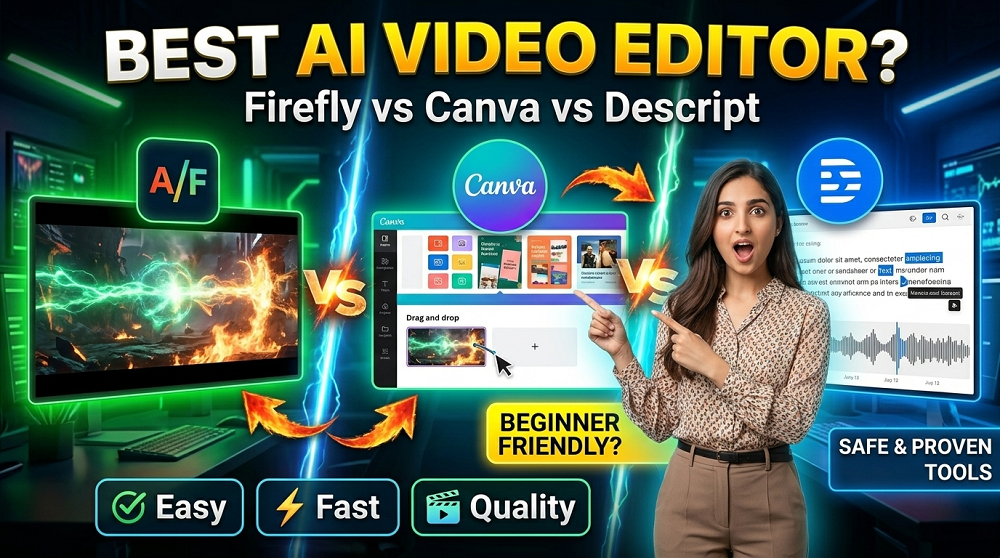
If you are just getting started with AI video editing, you probably feel a little overwhelmed. There are so many tools available right now, and all of them are claiming to be the “BEST” option for creators. But which one actually works for someone who is new to this?
Today we are going to look at three very popular tools: Adobe Firefly, Canva, and Descript. Each of these tools have different strengths, and each one is built for a slightly different type of user. By the end of this post, you will have a clear picture of which tool fits your needs as a beginner.
Before diving in, its also worth knowing that platforms like VeoAIFree.com offer FREE access to powerful AI video and image generation tools that can complement your editing workflow nicely.
What Are These Tools, Exactly?
Let us quickly define what each tool is before comparing them.
Adobe Firefly is Adobe’s AI-powered creative suite. It is designed to generate images, videos, and visual effects using text prompts. It is deeply integrated with Adobe’s existing products like Premiere Pro and After Effects.
Canva is a web-based design platform that has added AI video features over time. It is mostly known for its drag and drop interface, and it is used widely by social media creators, small business owners, and students.
Descript is a transcript-based video and audio editor. It lets you edit video by editing text, which is a very unique concept. You simply delete words from the transcript, and it removes that part from the video automatically.
So the three tools are actually quite different from each other. They are not really competing in the exact same space, but beginners often get confused about which one to choose.
Who Are These Tools Made For?
This is a important question. Knowing your use case can save you hours of frustration.
| Tool | Primary Use | Best For |
|---|---|---|
| Adobe Firefly | AI image and video generation | Creative professionals and designers |
| Canva | Graphic design and social media videos | Beginners, marketers, and small businesses |
| Descript | Podcast and video editing via transcription | Content creators, YouTubers, and podcasters |
As you can see, each tool is targeting a slightly different audience. But all three of them do have beginner-friendly features, so lets go deeper.
Adobe Firefly: Powerful but Has a Learning Curve
Adobe Firefly is honestly one of the most impressive AI tools available right now. It can generate high quality images, videos clips, and creative effects just from a text description. That is pretty amazing when you think about it.
What Firefly Does Well
- Text-to-image and text-to-video generation is incredibly detailed and realistic
- It integrates directly with Adobe Premiere Pro, which is a massive advantage if you already use Adobe products
- The Generative Fill and Generative Extend features are genuinely useful for video editors
- Adobe uses commercially safe training data, so there is less concern about copyright issues
Where Firefly Falls Short for Beginners
Here is the honest truth. Adobe Firefly is NOT the most beginner-friendly tool on this list. If you have never used Adobe products before, the interface can feel complex. Also, to get the full benefit of Firefly, you usually need a subscription to Creative Cloud, which is not cheap.
Is Adobe Firefly free? Not fully. There is a free tier with limited credits, but serious users will need to upgrade.
For complete beginners who just want to make quick AI videos without much setup, Firefly might feel like too much to handle right away.
Firefly Rating for Beginners: 6/10
Canva: The Most Beginner-Friendly Option
If you ask most beginner creators which AI video tool they used first, a large percentage will say Canva. And honestly, that makes a lot of sense.
Canva is designed from the ground up to be easy. You do not need any design or editing experience to start creating. The drag-and-drop interface is intuitive, and the AI video features have gotten significantly better in recent years.
What Canva Does Well
- Extremely easy to use, even if you have zero design experience
- Has a generous free plan with access to many templates and AI features
- Magic Studio (Canva’s AI suite) includes text-to-video, background remover, and AI image generation
- Great for creating SHORT-FORM videos for platforms like Instagram, TikTok, and YouTube Shorts
- Web-based, so there is nothing to install
Where Canva Falls Short
Canva is not built for complex video editing. If your video needs detailed audio syncing, multiple tracks, color grading, or advanced transitions, Canva will feel very limiting very quickly. Its video tools are more suited for simple promotional content and social media posts.
Also, the AI video generation in Canva is not as advanced as some dedicated tools. The outputs are decent, but not always production-quality.
Is Canva good for video editing? For simple, short-form content, absolutely yes. For anything more advanced, you will probably outgrow it.
Canva Rating for Beginners: 9/10
Descript: The Smartest Way to Edit Video
Descript is a genuinely innovative tool. The whole concept of editing video through text transcript is something that many creators find life-changing, especially those who come from a writing background rather than a video production background.
Here is how it works. You upload your video, Descript transcribes it automatically, and then you can edit the video just by editing the text. Delete a word, and that word is removed from the video. Delete a whole sentence, and that part of the video disappears. Simple as that.
What Descript Does Well
- Transcript-based editing is revolutionary for beginners who are afraid of traditional timeline editing
- Overdub feature lets you fix audio mistakes by typing corrections, and the AI regenerates your voice to say the new words
- Great for podcasters, educators, and YouTubers who record talking-head videos
- The Screen Recording feature is built right in, which is convenient
- Removes filler words like “um” and “uh” with a single click
Where Descript Falls Short
Descript is mainly a tool for editing existing footage, not generating new AI content from scratch. If you want to create videos from text prompts or AI-generated visuals, Descript is not really the right tool for that.
Also, the AI voice cloning (Overdub) feature raises some ethical questions, and its accuracy can vary depending on how well it was trained on your voice.
For creators who record themselves talking, Descript is honestly one of the BEST tools available. But it is a niche tool. It does not do graphic design, it does not generate images, and it is not a full video production suite.
Descript Rating for Beginners: 8/10 (specifically for talking-head and podcast content)
Head-to-Head Feature Comparison
Let’s break it down in one clear table so you can see everything at once.
| Feature | Adobe Firefly | Canva | Descript |
|---|---|---|---|
| Free Plan Available | Yes (limited) | Yes (generous) | Yes (limited) |
| Text-to-Video Generation | Yes | Yes | No |
| AI Image Generation | Yes (excellent) | Yes (decent) | No |
| Video Editing Timeline | Via Premiere Pro | Basic | Transcript-based |
| Beginner Friendly | Moderate | Very High | High |
| Best Platform | Desktop/Web | Web | Desktop/Web |
| Audio Editing | Limited | Limited | Excellent |
| Filler Word Removal | No | No | Yes |
| Voice Cloning | No | No | Yes |
| Template Library | Limited | Huge | Limited |
| Price (Paid Plans) | From $54.99/month (CC) | From $15/month | From $12/month |
Which One Should a Complete Beginner Choose?
This really depends on what kind of content you want to create. Let us make it very simple.
Choose Adobe Firefly if:
- You already use or plan to use Adobe Creative Cloud
- You need high quality AI-generated images and video clips
- You are serious about creative work and willing to invest time learning
Choose Canva if:
- You are brand new to video creation
- You mainly create content for social media
- You want something fast, free, and easy with no learning curve
- You also need graphic design capabilities alongside video
Choose Descript if:
- You record yourself talking (tutorials, podcasts, vlogs)
- You want to edit video without learning a traditional timeline editor
- You need audio cleanup and voice correction features
For most absolute beginners, Canva is the safest starting point. You can learn the basics without feeling overwhelmed, and the free plan gives you enough to actually create something.
What About AI Video Generation Tools?
Here is something that these three tools do not always cover completely. If you specifically want to generate videos using AI, from text prompts or images, tools like Google Veo are now making that possible in a very impressive way.
Platforms like VeoAIFree.com give you free access to AI video and image generators that can create high quality video content from simple text descriptions. This is a great complement to any of the three tools we discussed today. You can generate your video clips using VeoAI and then bring them into Canva or Descript for editing and polishing.
This kind of HYBRID workflow is actually what many smart creators are now using. Generate with AI, then edit in your preferred tool. It saves time and produces better results.
Pros and Cons Summary
Adobe Firefly
Pros:
- Very high quality AI output
- Seamlessly integrates with Adobe ecosystem
- Commercially safe AI training data
- Constantly being updated with new features
Cons:
- Expensive if you need Creative Cloud
- Steep learning curve for beginners
- Less useful as a standalone tool
Canva
Pros:
- Extremely beginner-friendly
- Generous free plan
- Huge template library
- Works directly in the browser
Cons:
- Limited advanced editing features
- AI video quality is average compared to dedicated tools
- Not suited for long-form or complex video projects
Descript
Pros:
- Revolutionary transcript-based editing
- Excellent audio editing features
- Filler word removal saves lots of time
- Great for podcasters and educators
Cons:
- Not an AI video generator
- Limited graphic design capabilities
- Voice cloning accuracy can vary
- Niche use case (mostly talking-head content)
Final Verdict
So which AI video editor is actually the BEST for beginners?
If we are talking strictly about ease of use and getting started quickly, Canva wins. It is accessible, has a free plan, and lets you create professional looking content without any prior experience.
If you are a content creator who records videos of yourself talking, Descript is a game changer and deserves serious consideration.
If you are ready to invest time and money into learning professional grade tools, Adobe Firefly combined with Premiere Pro is the most powerful long-term option.
But remember, no single tool does everything. Smart creators use multiple tools depending on what the project needs. And if you want to start generating AI videos and images for FREE right now, make sure to check out VeoAIFree.com for some impressive AI-powered generation tools that work great alongside any editor you choose.
The world of AI video editing is moving fast. The best thing you can do is start with one tool, learn it well, and then expand your toolkit as your skills grow. Don’t let yourself get paralyzed trying to pick the “perfect” tool. Just pick one and start creating.
