

AI Image Trace
Convert any photo, logo, or sketch into clean, scalable vector graphics (SVG) instantly with AI. Perfect for turning raster images into editable vectors while preserving sharp details and smooth lines.
See What the AI Image Trace Can Do
This tool makes professional image tracing effortless ideal for designers, illustrators, and creators who need high-quality vectors.
 Before
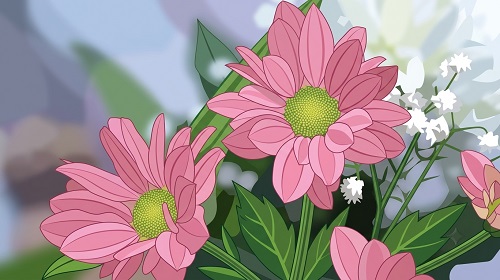 After
After
 Before
 After
After
 Before
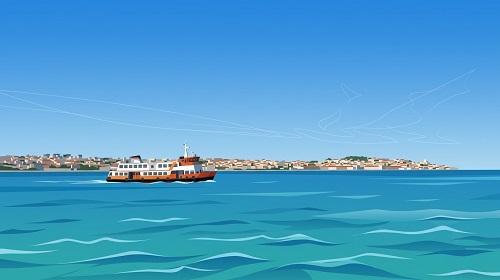 After
After
Convert Any Image Into Scalable Vector Graphics Instantly
That blurry logo you found online. The hand-drawn sketch you want to use in a professional design. A photo that needs clean, sharp lines for printing at any size. Raster images lose quality when scaled up, and manual tracing in design software is slow and tedious. AI Image Trace changes that completely.
The AI Image Trace on veoaifree.com turns photos, logos, illustrations, and sketches into clean, editable vector graphics (SVG) in seconds. It intelligently detects edges, shapes, and details, creating smooth paths that stay crisp at any size from business cards to billboards.
The result is a professional-quality vector file that you can easily edit, recolor, or resize without any loss in quality.
Ready to Vectorize Your Image?
AI Image Trace Free
Upload your photo, logo, or sketch and convert it into a clean, scalable vector instantly
Optional: Describe the style ("clean and minimal", "keep original colors", "simplify details", "high detail tracing")Your image stays private. No watermarks. No credits. No account needed.
Open the Image Tracer →What the AI Image Trace Actually Does
This isn't a basic filter or simple outline tool. The AI analyzes your image and intelligently recreates it as true vector paths. Here's what makes it powerful:
Smart Edge Detection
Automatically finds and traces edges, shapes, and fine details while reducing noise and unwanted artifacts.
Scalable SVG Output
Generate true vector files that can be enlarged to any size without pixelation perfect for print and digital use.
Color and Style Control
Keep original colors, simplify to a limited palette, or create clean black-and-white versions with one click.
Works on Multiple Image Types
Handles photos, logos, hand-drawn sketches, icons, product shots, and scanned illustrations with impressive accuracy.
Editable Results
Export as SVG ready to open in Illustrator, Figma, Inkscape, or any vector editor for further customization.
High-Quality Detail Preservation
Maintains important textures, curves, and fine lines that usually get lost in traditional tracing methods.
How to Trace Images to Vectors With AI (Step by Step)
- Open the Tool Go to the AI Image Trace page on veoaifree.com. No registration or downloads needed.
- Upload Your Image Drag in your photo, logo, sketch, or illustration. Supports JPG, PNG, and other common formats.
- Customize Settings Choose tracing style, level of detail, color palette, or let the AI decide the best approach.
- Generate the Vector The AI processes your image and creates clean, scalable vector paths in seconds.
- Download and Edit Export your SVG file and open it in your favorite design software for any final touches.
- High-contrast images with clear edges trace the cleanest.
- For logos and icons, simpler designs usually produce the smoothest vectors.
- Upload higher resolution images when you need fine details preserved.
- Use the style options to simplify complex photos into artistic vector illustrations.
- Always test your SVG at different sizes after downloading to ensure it scales perfectly.
Real Situations Where AI Image Trace Solves Problems
Logo Redesign & Digitization
Turn old hand-drawn logos or low-res versions into crisp, professional vector files ready for business cards, websites, and merchandise.
Illustration & Artwork Conversion
Convert scanned sketches or digital drawings into editable vectors for further refinement in design software.
Product Design & Print
Transform product photos into clean vector graphics for packaging, stickers, apparel, and promotional materials.
Icon & Graphic Creation
Quickly create custom icon sets or scalable graphics from reference images for apps, websites, and UI design.
Why This AI Image Trace Tool Stands Out
- Smarter Than Traditional Tracing AI understands context and creates natural curves instead of jagged, overly complex paths.
- Lightning Fast Convert complex images into vectors in seconds instead of spending hours manually tracing.
- Completely Free Unlimited conversions with no watermarks and full-resolution SVG exports.
- Privacy First Your images are processed securely and not stored after conversion.
- High Accuracy Excellent at preserving important details while simplifying where needed.
- Ready for Professionals Output quality that designers and studios can use directly in client projects.
Who Uses the AI Image Trace and Why
Graphic designers and illustrators use it to quickly digitize client logos and hand-drawn artwork for professional projects.
Small business owners convert old logos and product photos into scalable vectors for branding, printing, and online stores.
Product & merch creators turn designs into clean vectors perfect for t-shirts, stickers, packaging, and signage.
Web and UI designers create scalable icons and graphics that look sharp on any screen size or resolution.
Artists and hobbyists bring their sketches into the digital world as editable vectors for further creative work.
Marketing teams repurpose existing images into versatile vector assets for campaigns across multiple formats.
Turn Your Images Into Professional Vectors Today
Stop struggling with pixelated images or spending hours tracing manually. Upload your photo, logo, or sketch and get clean, scalable vectors in seconds.
Start Tracing Images Free Now →