

AI Image Background Remover
Instantly remove backgrounds from any image with one-click AI precision for clean, professional results.
See What the AI Background Remover Can Do
Effortlessly erase backgrounds from photos and designs using smart AI for transparent, ready-to-use images in seconds.
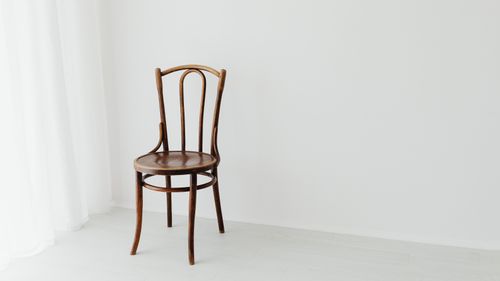 Before
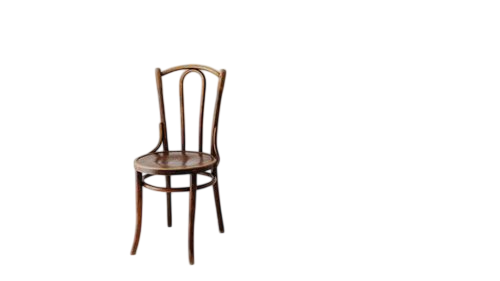 After
After
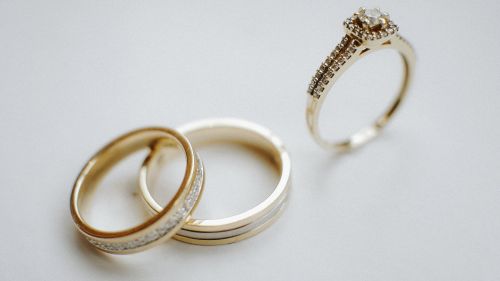 Before
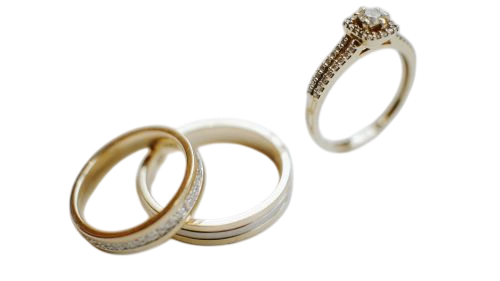 After
After
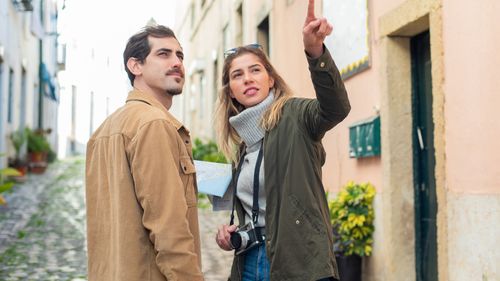 Before
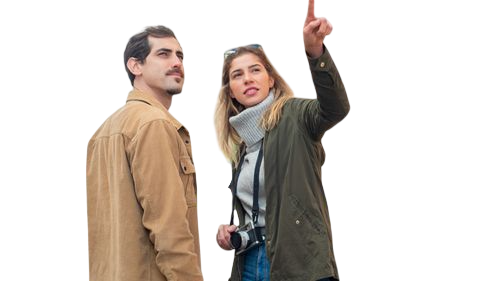 After
After
Remove Any Background From Your Photos Instantly
That perfect product shot with a messy shelf behind it. The portrait where the busy background steals attention from your subject. The old family photo with a dated backdrop that no longer fits the vibe. Manually masking in Photoshop takes forever and often looks obvious around the edges. Simple eraser tools leave jagged halos or eat into the subject. And green screens? Not always an option after the fact.
The AI Image Background Remover on veoaifree.com handles this in seconds. It intelligently identifies your main subject and cleanly separates it from the background, creating a transparent PNG or letting you swap in a new backdrop. Hair strands, clothing details, and complex edges stay intact—no blurry outlines or lost details.
The result looks like you shot it in a professional studio, even if the original was taken on your phone in everyday lighting.
Ready to Remove That Background?
AI Image Background Remover Free
Upload your photo and watch the AI instantly isolate your subject with clean, precise edges
Optional: Describe the new background you want ("white studio backdrop", "tropical beach", "solid black", "transparent")Your photo stays private. No watermarks. No credits. No account needed.
Open the Background Remover →What the AI Background Remover Actually Does
This isn't a basic magic wand or color key tool. The AI understands context, subject boundaries, and fine details to deliver studio-quality results. Here's what sets it apart:
Automatic Subject Detection
The AI instantly recognizes people, products, animals, vehicles, or objects—even in cluttered or low-contrast scenes—and removes everything else.
Precise Edge Handling
Delicate areas like flyaway hair, fur, jewelry, or transparent elements are preserved with natural-looking edges instead of harsh cutouts.
Transparent or Custom Backgrounds
Download with full transparency for easy layering, or instantly replace the background with solid colors, gradients, or entirely new scenes.
Batch Processing
Upload multiple images at once and remove backgrounds across an entire product catalog or photo set in one go.
One-Click Refinements
Not quite perfect? Add simple instructions like "keep the shadow" or "soften the edges around the hair" for quick adjustments.
High-Resolution Output
Works with full-resolution photos and exports clean, sharp results ready for e-commerce, social media, or print.
How to Remove a Background With AI (Step by Step)
- Open the Tool Head to the AI Image Background Remover on veoaifree.com. No sign-up, no software installs—just open it in your browser.
- Upload Your Image Drag and drop your photo or select it from your files. Supports JPG, PNG, WebP, and more at full quality.
- Let the AI Work The tool automatically detects and removes the background. You can choose transparent output or describe a replacement background if desired.
- Fine-Tune If Needed Use quick prompts to adjust tricky areas or change the new background style.
- Download and Use Export your clean subject on a transparent layer or new background in high resolution, ready for any project.
- Images with clear separation between subject and background process fastest and cleanest.
- For portraits, stand a few feet away from walls or busy backgrounds for easier removal.
- Product photos on white or light surfaces often need almost no extra editing.
- If the subject has fine details like lace or fur, upload the highest resolution version possible.
- Always check the edges at 100% zoom and use a simple follow-up prompt for any small fixes.
Real Situations Where Background Removal Makes Life Easier
E-commerce Product Photos
Turn quick phone shots of products into clean studio-style images for your online store without renting equipment or hiring a photographer.
Portrait and Headshot Cleanup
Make casual selfies or event photos look professional by removing distracting backgrounds for LinkedIn, resumes, or dating profiles.
Social Media Content
Create consistent branded visuals by placing the same subject on different backgrounds for Instagram carousels, stories, or ads.
Graphic Design Projects
Quickly isolate people or objects to composite into posters, flyers, thumbnails, or digital art without hours of manual masking.
Why This AI Background Remover Stands Out
- Smarter Than Old Tools It understands real subjects instead of just color differences, so it works on photos where traditional methods fail.
- Edge Perfection Fine details like individual hair strands and soft fabric edges are handled naturally—no more obvious cut-and-paste look.
- Lightning Fast Most images are processed in just a few seconds, letting you power through dozens of photos quickly.
- Completely Free Unlimited use with no hidden limits, no watermarks, and full-resolution downloads every time.
- Privacy Focused Your images are processed privately and not stored or used for anything else.
- Flexible Output Transparent PNGs or new backgrounds of your choice—whatever your project needs.
Who Uses the AI Background Remover and Why
E-commerce sellers and product photographers use it daily to clean up hundreds of product images for listings across multiple platforms without expensive studio setups.
Freelance designers and marketers quickly isolate elements from client photos to create custom graphics, ads, and social content under tight deadlines.
Small business owners turn everyday photos of their products, team, or workspace into polished marketing materials without learning complex editing software.
Content creators and influencers maintain visual consistency across posts by placing themselves or their products on different branded backgrounds.
Real estate agents and interior photographers remove cluttered backgrounds from property photos to highlight rooms and features more effectively.
Students and hobbyists clean up personal photos for resumes, portfolios, school projects, or just for fun creative edits.
Clean Backgrounds Are One Click Away
Stop wasting time on tedious manual editing or settling for distracting backgrounds. Upload your photo, let the AI do the heavy lifting, and get a clean, professional result in seconds.
Remove Background Free Now →