

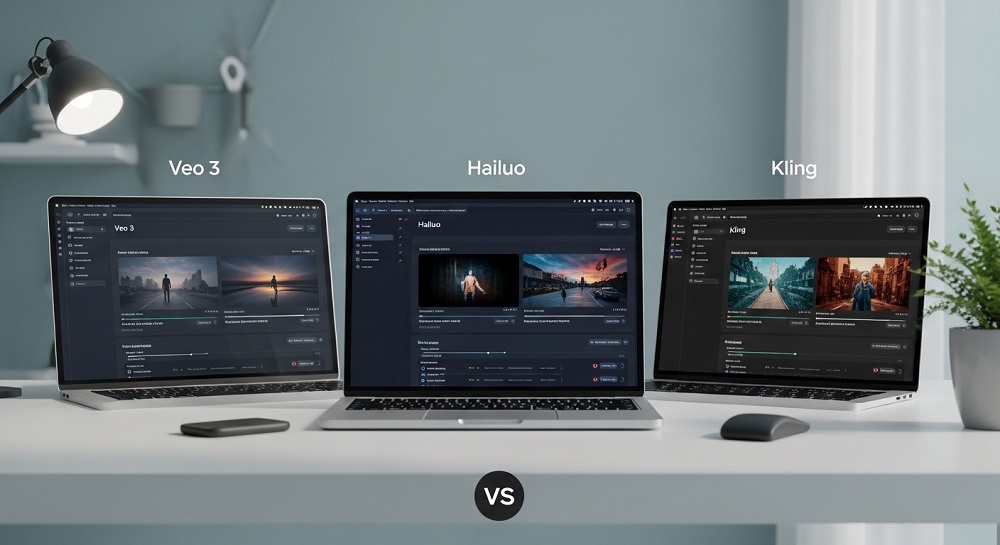
AI video generation has changed a LOT in the past couple of years. What used to take a full production team can now be done in minutes with the right tool. And with so many options available, it gets confusing fast.
So which one is actually worth using? We put three of the biggest names to the test: Veo 3 by Google, Hailuo AI, and Kling AI. Each one claims to produce realistic, high quality videos from simple text prompts. But the results are not always equal.
In this post, we break down how each tool performs, what makes it unique, and which one is the best choice depending on your needs.
Quick Overview: Veo 3 vs Hailuo vs Kling AI
| Feature | Veo 3 | Hailuo AI | Kling AI |
| Developer | Google DeepMind | MiniMax (China) | Kuaishou (China) |
| Video Length | Up to 8 seconds | Up to 6 seconds | Up to 3 minutes |
| Resolution | 1080p and above | 720p / 1080p | 720p / 1080p |
| Audio Support | YES (native audio) | Limited | Limited |
| Free Access | Limited via Vertex AI | YES (free tier) | YES (free tier) |
| Best For | Cinematic realism | Fast generation | Long-form content |
| Motion Quality | Excellent | Good | Very Good |
| Prompt Accuracy | Very High | Moderate | High |
Veo 3: Google DeepMind’s Most Advanced Video Model
Let’s start with the most talked about release right now. Veo 3 is Google DeepMind’s latest video generation model, and it is honestly in a different class compared to what came before it.
What Makes Veo 3 Stand Out?
The biggest thing about Veo 3 is that it generates video with NATIVE AUDIO. Not added after. The audio, the ambient sound, even dialogue in some cases, is generated alongside the video itself. This is something no other model has managed at this quality level yet.
Veo 3 understands complex scenes, camera angles, and cinematic styles better than almost any other model available today. You can write a detailed prompt like “a slow pan across a foggy harbor at dawn with distant foghorns” and actually get something that looks like a movie shot.
Key Features of Veo 3
- NATIVE AUDIO generation alongside video
- Supports cinematic camera movements like dolly shots, tracking shots, zoom ins
- High resolution output, 1080p and above
- Strong understanding of physics and lighting
- Follows complex, multi-element text prompts accurately
- Available through Google Vertex AI and select partners
What Are the Limitations?
Access is the main problem with Veo 3 right now. It is not freely available to everyone. You need access through Google’s platforms like Vertex AI, or through certain creative tools that have partnered with Google. For most individual users and small creators, this is a real barrier.
Also, the free version on veoaifree.com gives you a way to try it, but the full capabilities require proper API access. Video length is also capped, typically around 8 seconds per clip, which limits how much storytelling you can do in one generation.
Who Should Use Veo 3?
Veo 3 is ideal for filmmakers, content creators, and brands who want the highest quality output possible. If you need something that looks genuinely cinematic, this is the tool. It is also the best choice if you need audio and visuals together without manual sync work.
Hailuo AI: Fast, Free, and Surprisingly Good
Hailuo AI is developed by MiniMax, a Chinese AI company. It has gained a lot of popularity because it is accessible, relatively fast, and has a decent free tier that lets you generate videos without paying upfront.
What Makes Hailuo Different?
Speed is Hailuo’s biggest advantage. The generation time is faster than most competitors, which makes it a good choice for creators who need to produce a lot of content quickly. The quality is not always consistent, but for simple scenes it does a really solid job.
Hailuo is also very popular for PORTRAIT videos and face consistent character generation. If you are creating content that involves a recurring character or a specific person, Hailuo tends to keep facial features more consistent across frames than many other tools.
Key Features of Hailuo AI
- Fast generation speed, often under 2 minutes per clip
- Free tier available with daily generation limits
- Strong face consistency for character based content
- Simple, user-friendly interface
- Good for short form social media content
- Supports image to video conversion
What Are the Limitations?
Hailuo struggles with complex physics and detailed environments. If your prompt involves things like fabric movement, water simulation, or realistic crowd scenes, the results can look a bit off. The maximum video length is around 6 seconds, which is actually shorter than what Kling offers.
Prompt accuracy can also be inconsistent. Sometimes the model interprets prompts in unexpected ways and you end up with something quite different from what you intended. This requires a bit of trial and error.
Who Should Use Hailuo AI?
Hailuo is perfect for social media creators, small businesses, and anyone who needs quick, usable video content without a big learning curve or a big budget. If you want to test AI video generation for the first time, Hailuo is a great starting point.
Kling AI: Long Videos and Impressive Motion
Kling AI is made by Kuaishou, another Chinese tech company behind one of China’s biggest short video platforms. Kling takes a very different approach from the other two, focusing heavily on LONGER VIDEO GENERATION and natural motion.
What Makes Kling Stand Out?
The standout feature of Kling is without question its ability to generate videos that are significantly longer than competing tools. While most AI video generators top out at 6 to 8 seconds, Kling can generate videos up to 3 minutes long in some configurations. That is a huge deal for storytelling and longer form content.
Kling also has very smooth motion. Characters and objects move in a way that feels natural and fluid. The model has clearly been trained with a lot of attention to how things move in the real world, and it shows.
Key Features of Kling AI
- Video generation up to 3 MINUTES long
- Excellent motion fluidity and natural movement
- Strong physical simulation including cloth, hair, and water
- Image to video with high consistency
- Multiple aspect ratios supported including vertical formats
- Free tier with daily credits
What Are the Limitations?
Kling is not perfect. While the motion is smooth, the overall visual quality can sometimes feel a bit flat compared to Veo 3. The lighting and cinematic feel are not quite at the same level.
Prompt interpretation can also be a challenge. Kling sometimes prioritizes motion over accuracy to the prompt, meaning you get a beautifully moving video that is not quite what you described. It takes some practice to write prompts that Kling interprets the way you want.
Who Should Use Kling AI?
Kling is the go to choice for creators who need longer video content. If you are building a short film, a product demo, or any content that needs more than a few seconds, Kling is currently one of the only tools that can handle that length with decent quality.
Head to Head Comparison: The Key Categories
1. Video Quality and Realism
| Category | Veo 3 | Hailuo AI | Kling AI |
| Cinematic Look | Excellent | Average | Good |
| Lighting Accuracy | Very High | Moderate | Good |
| Detail in Backgrounds | High | Moderate | Moderate |
| Skin and Face Realism | High | Very High | High |
| Overall Winner | Veo 3 |
2. Motion and Physics
This is where Kling really shines. The way objects and characters move in Kling videos is noticeably smoother than in most competitors. Hailuo can be a bit jerky in fast motion scenes, and while Veo 3 handles physics well, Kling seems to have put extra effort into making movement look natural.
| Motion Category | Veo 3 | Hailuo AI | Kling AI |
| Character Walking/Running | Good | Average | Excellent |
| Water and Fluid Simulation | Very Good | Average | Very Good |
| Cloth and Hair Movement | Good | Poor | Excellent |
| Camera Motion | Excellent | Good | Good |
3. Prompt Following and Accuracy
How well does each tool actually do what you ask it to? This is really important for creators who have a specific vision in mind.
Veo 3 is the best at following detailed and complex prompts. If you describe a specific camera angle, a particular lighting mood, or a multi-element scene, Veo 3 is most likely to get it right. Kling is second, and Hailuo can be a bit unpredictable.
4. Audio Generation
This one is simple. Only Veo 3 offers native audio generation as part of the video output. Hailuo and Kling both produce silent videos by default, and you would need to add audio separately. For creators who want complete content in one step, Veo 3 wins this category by a large margin.
5. Accessibility and Pricing
| Access Type | Veo 3 | Hailuo AI | Kling AI |
| Free Tier Available | Limited | YES | YES |
| Easy Sign Up | No (requires API access) | YES | YES |
| Best Free Access | veoaifree.com | Direct website | Direct website |
| Paid Plans | Enterprise pricing | Affordable credits | Affordable credits |
Which Tool Should You Pick for Your Use Case?
Not everyone needs the same thing from an AI video generator. Here is a breakdown by use case.
For Social Media Content Creators
Go with Hailuo AI. The fast generation speed, face consistency, and free tier make it the easiest option to build a workflow around. You can produce multiple short clips quickly and test different concepts without spending money.
For Filmmakers and Professional Video Creators
Veo 3 is the clear answer. The cinematic quality, native audio, and accurate prompt interpretation make it the closest thing to a professional tool in this category. Access it through veoaifree.com for the most straightforward entry point.
For Long Form Video and Storytelling
Kling AI is the only real option here. The ability to generate up to 3 minutes of video in a single prompt is a unique advantage that neither Veo 3 nor Hailuo can match right now. For YouTube Shorts, explainer videos, or any project that needs more than a few seconds, Kling is the way to go.
For Beginners Just Starting Out
Try Hailuo first. It has the lowest learning curve, a friendly interface, and enough quality to learn the basics of AI video prompting without any upfront cost. Once you understand how these tools work, you can move to Veo 3 or Kling depending on your goals.
Tips for Getting Better Results From All Three Tools
No matter which tool you use, these practices will help you get better outputs.
- Be SPECIFIC in your prompts. Instead of “a man walking in a city”, write “a middle-aged man in a grey coat walking through a busy New York street at night, cinematic lighting, shallow depth of field”
- Describe the CAMERA MOVEMENT you want. Words like “slow pan”, “tracking shot”, or “aerial view” make a big difference in the result
- Keep your prompts to one main action or scene. Trying to describe too much in one prompt usually leads to confused output
- Use reference style keywords. Words like “cinematic”, “photorealistic”, “8mm film”, or “studio lighting” help guide the visual style
- Iterate quickly. Generate multiple versions of the same prompt with small changes to find what works best
Final Verdict: Which One is the Best?
There is no single answer that works for everyone, but here is the honest breakdown.
If pure quality and realism is the priority, Veo 3 wins. It produces the most cinematic output, it understands prompts better than its competitors, and it is the only tool with native audio. The limited access is a downside, but for anyone who needs the best possible result, it is worth navigating.
If you need long videos with smooth motion, Kling AI is the best option. Nothing else comes close to its video length capability and the motion quality is genuinely impressive.
If you want fast, free, and easy with decent quality, Hailuo is the right choice. It is not the most powerful tool, but it is the most accessible and for a lot of creators, that matters more than raw capability.
The good news is you do not have to choose just one. Use Hailuo for quick social content, Kling for longer projects, and save Veo 3 for when you need that cinematic polish. All three tools are accessible, and the best way to figure out which one works for your style is simply to try them.
You can access Veo 3 through veoaifree.com where you can generate videos using Google’s most advanced model without needing a complex API setup. Give it a try and see the difference yourself.
Frequently Asked Questions
Is Veo 3 really better than Kling and Hailuo?
In terms of visual quality and audio, yes. But Kling beats it for video length and Hailuo beats it for accessibility and speed.
Can I use these tools for free?
Hailuo and Kling both have free tiers. Veo 3 has limited free access and is best accessed through veoaifree.com for free generations.
Which AI video tool is best for YouTube content?
It depends on your format. For YouTube Shorts, Hailuo or Kling work well. For longer YouTube videos, Kling is the strongest choice. For high quality standalone clips to use in edited videos, Veo 3 is excellent.
Do these tools replace professional video production?
Not entirely, but they are getting very close for certain use cases. Short form content, promotional clips, concept videos and explainers are all areas where these tools can already produce results that used to require a full production setup.
