

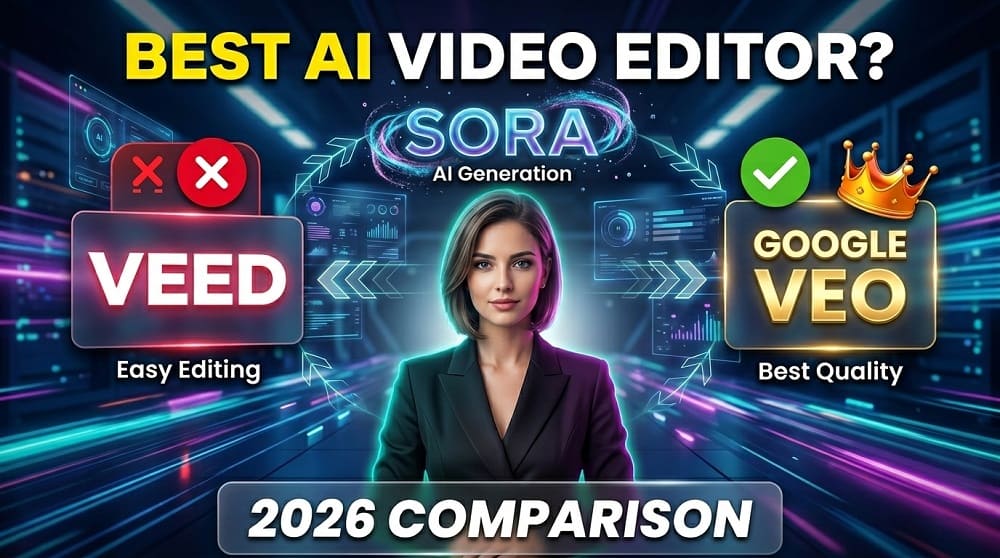
The world of AI video generation has changed a LOT in the past year. Content creators now have more options then ever before, and honestly, choosing the right tool can feel a bit overwhelming. Today we are comparing three of the BIGGEST names in the space: Veed, Sora, and Google Veo. By the end of this post, you will know exactly which one fits your needs.
So, which one should you actually use in 2026? Let’s find out.
A Quick Look at All Three Tools
Before we jump into the deep comparison, here is a short overview of what each platform actually is.
Veed.io is a browser-based video editing and AI video generation tool that has been around since 2019. It started as a simple subtitle generator but today it offers a full suite of video production features powered by AI.
Sora is OpenAI’s text-to-video model. It was first announced in early 2024 and was made available to the public in December 2024. Sora focuses on generating HIGH-QUALITY, cinematic-style videos purely from text prompts.
Google Veo is Google’s answer to the AI video generation race. Veo 2 and Veo 3 have come out through 2025 and 2026, and they are genuinely impressive. If you want to try Google Veo for FREE, you can use it directly at veoaifree.com without any complicated setup.
What Can Each Tool Actually Do?
This is where things get really interesting.
Veed: The All-in-One Editor
Veed is not JUST a video generator, it is a full editing suite. You can:
- Record your screen or webcam directly inside the browser
- Auto-generate subtitles and captions in multiple languages
- Remove video backgrounds without a green screen
- Add AI avatars to your videos
- Generate short video clips from text prompts
- Export in multiple formats and aspect ratios
Veed is honestly the BEST choice if you want to record, edit, caption, and export all in one place. It is built for people who already have footage and need to polish it fast.
Sora: The Cinematic Text-to-Video Model
Sora is in a different category. You do not edit existing videos with Sora. You TYPE a prompt, and Sora generates a video from scratch. The quality is genuinely cinematic, with realistic motion, lighting, and camera movement.
What Sora is good at:
- Generating short, high-quality video clips (up to 20 seconds)
- Creating realistic scenes, characters, and environments
- Cinematic storytelling content
- Social media video ads and concept visuals
The downside? Sora requires a ChatGPT Plus or Pro subscription, which is not cheap. And it is not an editor, so if you want to add subtitles, music, or transitions, you need another tool on top of it.
Google Veo: The Most Powerful Text-to-Video in 2026
Google Veo (especially Veo 3) is arguably the MOST advanced AI video generator available right now. It can generate videos with:
- Realistic human motion and facial expressions
- Accurate physics and lighting
- Audio generation alongside video (a BIG deal)
- Longer video clips compared to most competitors
- Multiple visual styles, from cinematic to animated
Veo 3 in particular introduced AUDIO generation inside the video itself, which means you get background sounds, dialogue, and ambient noise all generated automatically. No other tool does this as well as Veo right now.
You can generate videos using Google Veo for free at veoaifree.com, which makes it extremely accessible for creators who do not want to pay for expensive subscriptions.
Head-to-Head Comparison Table
| Feature | Veed | Sora | Google Veo |
|---|---|---|---|
| Text-to-Video | Basic | Advanced | Most Advanced |
| Video Editing Tools | Full Suite | None | Limited |
| Audio Generation | Manual | None | Yes (Veo 3) |
| Free Plan Available | Yes (limited) | No | Yes (via Veoaifree) |
| Video Length | Up to 30 min (editing) | Up to 20 sec | Up to 8 min |
| Subtitles/Captions | Yes | No | No |
| Best For | Editing + Polishing | Cinematic Clips | AI Generation |
| Browser-Based | Yes | Yes | Yes |
| Requires Subscription | Freemium | ChatGPT Plus | Free options exist |
Who Should Use Which Tool?
Okay, this is the MOST important part. Let me break it down by creator type.
If you are a YouTuber or Podcast Creator: Use Veed. It has all the editing tools you need, auto-captions save you hours of work, and the interface is beginner-friendly. You likely already have your own footage, so you need a tool that helps you polish it, not generate it from scratch.
If you are creating ads, short films, or concept videos: Use Sora or Google Veo. Both can generate impressive short clips from text. But if you want audio generation included, Veo is the clear winner.
If you want FREE access to powerful AI video generation: Use Google Veo via veoaifree.com. You get access to one of the most advanced AI video models in the world without paying for a subscription.
If you are a social media creator making Reels or TikToks: Any of the three can work, but Veed’s built-in aspect ratio options and caption tools make it particularly useful for short-form content.
Pricing: What Does Each Tool Cost?
Let us be real, pricing matters a lot for independent creators.
Veed Pricing (2026):
- Free plan: Available with watermark
- Basic: Around $18/month
- Pro: Around $30/month
- Business: Custom pricing
Sora Pricing:
- Requires ChatGPT Plus ($20/month) for standard access
- ChatGPT Pro ($200/month) for priority and higher limits
- No standalone free access
Google Veo Pricing:
- Available in Google AI Studio (limited free tier)
- Part of Gemini Advanced subscription ($19.99/month)
- FREE access available through third-party tools like veoaifree.com
When it comes to value for money, Google Veo wins handily, especially if you use a FREE access point. Sora is the most expensive for what you get, and Veed sits in the middle as a good value all-in-one tool.
Ease of Use
Is any of these tools hard to learn? Honestly, no. All three are browser-based and designed for non-technical users.
Veed has the smoothest learning curve because it feels similar to any standard video editor. If you have ever used iMovie or CapCut, Veed will feel familiar.
Sora is simple in that you just type a prompt and get a video. But learning how to write GOOD prompts that give you the results you want does take some practice.
Google Veo works the same way as Sora for generation. The more detailed your prompt, the better the output. Veo does respond very well to detailed descriptions of camera movements, lighting, and scene composition.
The Verdict: Which Is BEST in 2026?
There is no single “best” tool here, because all three serve different purposes. But here is our honest recommendation:
For editing and production workflow: Veed is the winner.
For pure text-to-video quality and audio generation: Google Veo is the winner.
For cinematic short clips with the OpenAI ecosystem: Sora is the winner.
If we had to pick ONE tool for a content creator who wants to do EVERYTHING without spending a lot of money, Google Veo is the strongest option right now. The Veo 3 model is genuinely ahead of the competition in output quality, it generates audio alongside video, and you can access it for FREE.
The AI video space is moving incredibly fast. Tools that are leading today might be replaced tomorrow. So our advice is to try all three, see what fits your workflow, and do not lock yourself into just one platform.
Start with what is free. Start with what solves your most immediate problem. And if you want to dive into Google Veo right now without paying anything, head over to veoaifree.com and generate your first AI video today.
