
Content creators today are spoilt for choice. But being spoilt for choice also means being overwhelmed by it.
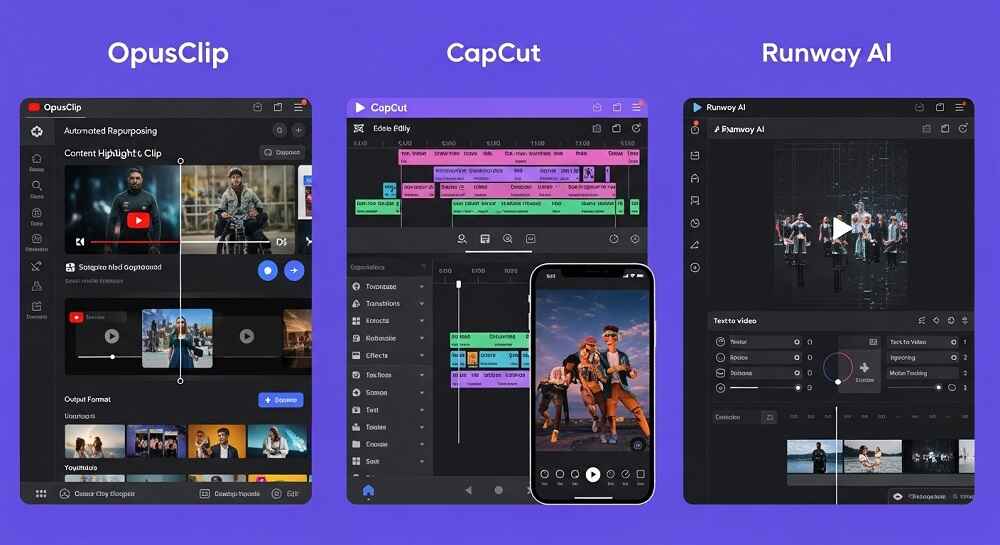
OpusClip, CapCut, and Runway are three of the most popular AI video tools right now. Each one does something slightly different, and each one has a different kind of user in mind. So which one is actually right for you?
Let us go through all three honestly, compare what they offer, look at their limitations, and also talk about some FREE alternatives that might surprise you.
A Quick Introduction to Each Tool
Before jumping into the comparison, it helps to understand what each tool is actually designed for.
OpusClip is built specifically for REPURPOSING long form video content. You paste a YouTube link or upload a video, and it automatically clips the best moments into short, shareable videos optimized for TikTok, Reels, and YouTube Shorts.
CapCut is a full featured VIDEO EDITING app originally made by ByteDance. It started as a mobile editor but now has a web version and a desktop version. It has AI features like auto captions, background removal, and text to video generation.
Runway is positioned more towards PROFESSIONAL AI video generation and editing. It is used by filmmakers, designers, and advanced creators who want tools like generative video, inpainting, motion tracking, and green screen removal.
Three very different tools. Three very different use cases.
Who Uses These Tools and Why?
This is actually a important question to ask before spending money on any subscription.
OpusClip users are typically PODCAST EDITORS, course creators, YouTube creators, and social media managers who have long videos and want to turn them into short clips without spending hours editing manually.
CapCut users are mostly SOCIAL MEDIA CREATORS, especially TikTok users, students, and small business owners who want something easy to use with trendy effects and templates.
Runway users tend to be FILMMAKERS, motion designers, advertising professionals, and anyone working on high end creative production who needs AI tools that go beyond simple editing.
Knowing which category you fall into already helps narrow down the choice.
Feature Breakdown
OpusClip
OpusClip’s main strength is its AUTO CLIPPING technology. It analyzes a long video, identifies the most engaging segments, and generates short clips with captions, emojis, and even a virality score.
Key features include:
- AI clipping from long videos to short clips automatically
- Auto captions with word-by-word highlighting
- Virality score that predicts how well a clip might perform
- Brand kit for consistent styling across clips
- Multi-platform export for TikTok, Instagram, YouTube Shorts
The free plan is quite limited. You get a small number of clips per month and the output has watermarks. The paid plans start around $15 per month and go up significantly for team features.
CapCut
CapCut is probably the most ACCESSIBLE of the three. It has a genuinely generous free plan, a clean interface, and a massive library of templates, music, effects, and AI tools.
Key features include:
- Auto captions with high accuracy across multiple languages
- Background removal without a green screen
- Text to video using AI (basic level)
- Templates for trending video formats
- AI video enhancer to improve footage quality
- Collaboration features in the team version
The free version is surprisingly capable. Most basic creators will never need to upgrade. The Pro version starts at around $9.99 per month and adds more AI credits and commercial usage rights.
Runway
Runway is in a different league in terms of what AI can actually DO with video. It is not just editing, it is GENERATION and transformation.
Key features include:
- Gen-2 and Gen-3 Alpha video generation from text or image
- Inpainting to remove or replace objects in video
- Motion Brush to animate specific parts of an image
- Green screen removal without an actual green screen
- Frame interpolation for smoother motion
- Multi motion camera controls
Runway’s free plan gives you 125 credits which runs out fast. Paid plans start at $12 per month but serious users will spend significantly more. It is not a casual tool.
Pricing Comparison Table
| Tool | Free Plan | Paid Starting Price | Watermark on Free | Best For |
|---|---|---|---|---|
| OpusClip | Yes (limited clips) | ~$15/month | Yes | Repurposing long videos |
| CapCut | Yes (generous) | ~$9.99/month | No | Social media editing |
| Runway | Yes (125 credits) | ~$12/month | Yes | Professional AI generation |
Strengths and Weaknesses
OpusClip
Strengths:
- Saves enormous amount of time for long form creators
- Auto captions are accurate and well formatted
- Virality score is a useful (if not perfect) guide
- Simple workflow with minimal learning curve
Weaknesses:
- Very limited free plan
- Output quality depends heavily on source video quality
- Not useful if you are creating short form content from scratch
- Clips sometimes miss the actual best moments
CapCut
Strengths:
- Most generous free plan of the three
- Extremely beginner friendly
- Huge template library keeps content looking fresh
- Works well on mobile and desktop
Weaknesses:
- Text to video feature is basic compared to dedicated generators
- ByteDance ownership raises data privacy concerns for some users
- Advanced AI features consume credits quickly
- Less suitable for professional film production workflows
Runway
Strengths:
- Most powerful AI video generation available in a browser tool
- Inpainting and object removal are genuinely impressive
- Constantly updated with new models
- Preferred by professional film and advertising creators
Weaknesses:
- Credits run out very fast on free plan
- Steep learning curve for beginners
- Expensive for regular heavy use
- Not designed for quick social media edits
Which Tool Wins for Which Use Case?
Good question. Here is a straightforward breakdown.
| Use Case | Best Tool |
|---|---|
| Turning podcasts into short clips | OpusClip |
| Quick TikTok or Reels editing | CapCut |
| Generating AI video from scratch | Runway |
| Adding auto captions | CapCut |
| Professional film AI effects | Runway |
| Repurposing YouTube content | OpusClip |
| Budget conscious creators | CapCut |
What About Completely Free Alternatives?
Here is where things get interesting.
All three tools above have meaningful limitations on their free plans. OpusClip puts watermarks on free exports. Runway burns through credits quickly. Even CapCut has restrictions on commercial licensing in the free tier.
So what if you need HIGH QUALITY AI video content with zero cost and zero signup?
That is exactly where veoaifree.com comes in. The platform offers a full collection of AI video generators completely free, with no registration required. Whether you need content for Instagram, TikTok, YouTube Shorts, advertisements, training videos, or music videos, there is a dedicated tool for each.
The VEO 3.1 AI Video Generator powered by Google’s latest model lets you generate high quality video from text prompts instantly. The output quality is genuinely competitive with what paid tools offer, and you do not need an account, a credit card, or a subscription.
For creators who are mainly focused on GENERATING fresh video content rather than editing existing footage, this is a smarter starting point than paying for Runway or OpusClip.
Repurposing Content Without Paid Tools
OpusClip is popular because it solves a real problem. Long videos take time to clip manually. But here is what many creators do not realize. You do not always need to repurpose old content. Sometimes GENERATING new short form content directly is faster and produces better results.
Instead of recording a 45 minute podcast, uploading it to OpusClip, waiting for processing, reviewing clips, and then editing, you could simply generate a short, punchy, visually engaging AI video from scratch in minutes.
Tools like the Viral YouTube Shorts Generator and the Instagram and TikTok video generators on veoaifree.com are built specifically for this workflow. You describe your content idea, the AI builds the video, and you publish it. No source footage needed.
This is not just faster. For many niches, it actually produces more consistent and polished results.
The Bigger Picture: Where AI Video is Heading
OpusClip, CapCut, and Runway are all impressive tools in their own right. But they also represent a single moment in a very fast moving space.
A year ago, Runway’s Gen-2 was considered the gold standard for AI video generation. Today, Google’s VEO 3.1, available FREE through veoaifree.com, produces results that challenge or exceed what professional paid tools were offering just months ago.
The pattern is clear. What costs money today will likely be free or cheaper tomorrow. And the BEST STRATEGY for any creator is to stay informed about emerging free tools rather than locking in expensive subscriptions for capabilities that are rapidly becoming commoditized.
Final Thoughts
So which one should you pick between OpusClip, CapCut, and Runway?
If you are a PODCAST CREATOR or YouTuber with hours of long form content to repurpose, OpusClip is the most purpose built tool for your workflow.
If you are a SOCIAL MEDIA CREATOR who wants fast, trendy edits with minimal learning curve, CapCut is the obvious choice, especially given its free plan.
If you are a FILMMAKER or advanced creator working on commercial or cinematic projects, Runway gives you AI capabilities nothing else can match at this level.
But if you are building a content strategy from scratch and want to explore what AI video can do before spending any money, start with the free tools available at veoaifree.com. You get access to powerful AI video generation technology, no watermarks, no registration, and no cost.
Sometimes the best tool is the one that costs you nothing and still delivers exactly what you need.