
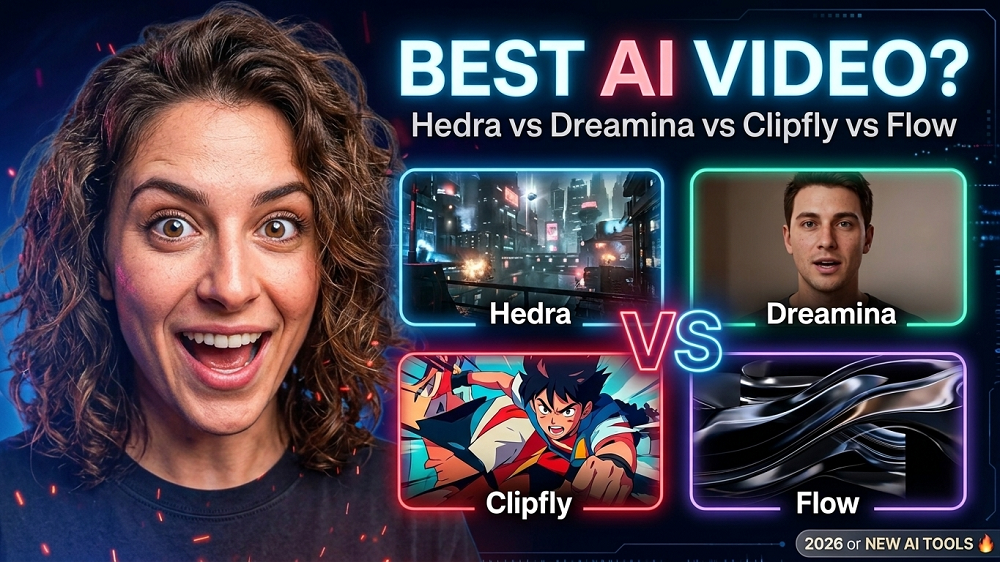
AI video generation has honestly come a long way in the past year. And if you have been looking for a good tool to create videos without spending hours in editing software, you are definitely not alone. In 2026, there is no shortage of options. But choosing the RIGHT one is where things get tricky.
Today we are putting four tools under the microscope: Hedra, Dreamina, Clipfly, and Flow. Each of these has made some noise in the AI video space, and we want to give you a clear, honest breakdown so you can decide what actually works for your needs.
If you just want to explore more options before committing, you can check out the full list of AI video generators available right now. There are quite a few solid tools on there.
So, What Are These Tools Exactly?
Let us give a quick intro to each one before we dive into the comparison.
- Hedra is an AI platform focused on creating TALKING AVATAR videos. You give it a photo and an audio clip, and it animates the face to match the speech. It is very popular for faceless content creators and educators.
- Dreamina is ByteDance’s creative AI suite, which covers both image and video generation. It is tightly integrated with their ecosystem and has gotten better with each update in recent months.
- Clipfly is a browser-based AI video creator that lets you generate and edit videos using text prompts, templates, and stock assets. Think of it as a user-friendly blend of AI generation and traditional editing.
- Flow is Google’s AI filmmaking tool, built on top of Veo and Imagen models. It is designed for storytelling and lets creators control camera shots, character consistency, and scene transitions with some impressive results.
Quick Side-by-Side Comparison
Before we break it down in detail, here is a table to give you a fast overview of what each tool brings to the table:
| Feature | Hedra | Dreamina | Clipfly | Flow |
|---|---|---|---|---|
| Primary Use | Talking avatars | Text/image to video | Video editing + AI generation | AI filmmaking |
| Free Plan | Yes (limited) | Yes (credits) | Yes (watermark) | Limited access |
| Best For | Content creators, educators | Social media videos | Marketing, quick clips | Short films, storytelling |
| Video Quality | High (face sync focus) | High | Medium to High | Very High |
| Ease of Use | Easy | Moderate | Very Easy | Moderate |
| Commercial Use | Paid plans only | Yes (with plan) | Yes | Limited |
Hedra: The Talking Avatar Specialist
Is Hedra the best for TALKING HEAD videos? Yes, by a wide margin for that specific use case.
Hedra lets you upload a portrait image, add an audio file or use its built-in voice tools, and generates a lip-synced video that actually looks realistic. The facial animation quality is noticeably better then most competitors, especially when it comes to natural mouth movements and emotional expressions. Content creators on YouTube and TikTok have been using it heavily for faceless channels.
The free plan does give you a few credits to test it out, but the watermark and limited duration can be frustrating. To get proper commercial output, you would need to upgrade. For educators, course creators, and anyone building a consistent AI persona, Hedra is a STRONG choice.
Pros:
- Best-in-class lip sync accuracy
- Works well with custom images
- Good for building branded AI avatars
Cons:
- Not ideal for general video creation
- Free plan is quite limited
- Mostly focused on portrait-style output
Dreamina: ByteDance’s All-in-One Creative Tool
Can Dreamina compete with the big players? It absolutely can, and its improving fast.
Dreamina by ByteDance is more of a CREATIVE SUITE than just a video generator. It supports text-to-image, text-to-video, and image-to-video workflows all in one place. The video quality is impressive, particularly for short form content meant for social media platforms. The interface has improved a lot since its early days and feels cleaner now.
One thing worth noting is that it runs on a credits system. Free users get a daily allocation, which is enough to experiment but not enough for heavy production work. If you are a social media manager or content creator who needs quick, high quality clips without complex editing knowledge, Dreamina handles that job well.
It also supports AI image generation, which is handy if you want to create visuals and then bring them to life as videos. Speaking of which, if you are looking for standalone image tools, the AI image generators directory has a wide range of free options worth trying.
Pros:
- All-in-one platform for images and videos
- Daily free credits available
- Good output for short social clips
Cons:
- Credits run out quickly during heavy use
- Limited control over camera movements
- Some outputs feel inconsistent with complex prompts
Clipfly: The Easiest One to Just Pick Up and Use
Who should use Clipfly? Anyone who wants to create polished videos fast, without a steep learning curve.
Clipfly is browser-based and designed for people who are not necessarily deep into AI but still want PROFESSIONAL-LOOKING results. It combines AI generation with a traditional timeline editor, stock footage, music, and templates. You can generate a video from a text prompt, or you can build one using their asset library and customize it visually.
The output has a marketing-ready feel to it. Businesses that need quick promotional clips, product showcase videos, or social media content will find Clipfly very practical. It does slap a watermark on free exports, which is a common limitation, but the paid plans are reasonably priced compared to some others.
For people who are just starting out with AI video creation and want something that works without too much tweaking, Clipfly is probably the most BEGINNER-FRIENDLY option on this list.
Pros:
- Very easy to learn and use
- Combines AI generation with manual editing tools
- Good for marketing and promotional content
Cons:
- Less creative flexibility then dedicated generation tools
- Free plan has watermark limitations
- Not ideal for cinematic or narrative videos
Flow: Google’s Filmmaking Tool Built on Veo
Is Flow the most powerful on this list? For creative storytelling, yes it absolutely is.
Google’s Flow is built on top of the Veo and Imagen models, which already powers some of the best AI video outputs available today. What makes Flow different is that it is built specifically for FILMMAKERS and storytellers. You can control camera angles, manage scene consistency, keep characters looking the same across different shots, and build multi-scene narratives with a level of control that the other tools on this list simply do not offer.
The output quality from Flow is visually stunning. Motion is smooth, lighting is handled well, and even complex prompts tend to produce coherent, cinematic-looking results. However, access to Flow is not fully open yet and the tool has a steeper learning curve. Its not something you just pick up in ten minutes and go. You need to spend time understanding how scene and shot controls work.
For SERIOUS creators who want to produce short films, brand stories, or high-quality content that stands out, Flow is worth the investment in learning time.
Pros:
- Exceptional output quality powered by Veo
- Scene-by-scene narrative control
- Character and camera consistency features
Cons:
- Not fully open to all users yet
- Higher learning curve
- May not be necessary for simple or quick content
Which One Should You Actually Use?
This really depends on what you are trying to do. Here is a simple way to think about it:
- Want TALKING AVATAR videos? Go with Hedra.
- Need an all-in-one creative tool for social media? Dreamina is your best bet.
- Just starting out and want something easy? Clipfly is the most beginner-friendly.
- Working on cinematic or narrative video projects? Flow is in a league of its own.
None of these tools are perfect for every use case. But each one does something specific very well. The good news is that most of them offer a free tier or trial, so you can test before committing to a paid plan.
If you want to go even further and experiment with more tools, check out the complete list of free AI video generators to find something that fits your specific workflow. There are tools for everything from YouTube Shorts to 3D animation to advertisement clips, all in one place.
Final Thoughts
The AI video space in 2026 is more exciting then ever, and tools like Hedra, Dreamina, Clipfly, and Flow are all pushing in interesting directions. Whether you are a solo creator, a small business, or someone experimenting with AI for the first time, there is something on this list for you.
The KEY is to match the tool to your goal. Do not pick the fanciest sounding one. Pick the one that solves your actual problem. Start with the free tier, test it out with a few prompts, and see how the output fits your needs before upgrading.
AI video generation is only going to get better from here, and staying updated with the best tools will give you a real edge in creating content that actually gets noticed.
