
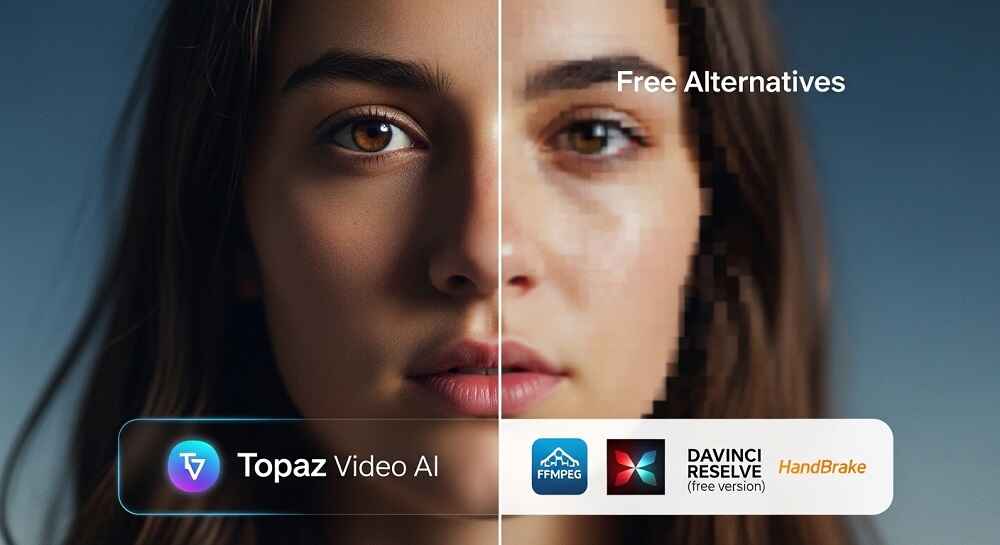
If you are serious about video quality, you have probably heard the name TOPAZ VIDEO AI at least once. It is one of the most talked about tools in the video enhancement world. But is it really worth the price? And more importantly, are there FREE alternatives that can do the same job?
Let us break it all down honestly.
What is Topaz Video AI?
Topaz Video AI is a desktop software developed by Topaz Labs. It uses AI-powered models to upscale, denoise, stabilize, and enhance videos. The tool is popular among filmmakers, YouTubers, and video editors who want to take low quality footage and bring it up to modern standards like 4K or even 8K.
It sounds great. But the price is not easy to ignore.
How Much Does Topaz Video AI Cost?
| Plan | Price |
|---|---|
| One-time purchase | $299 |
| Yearly subscription | $99/year |
| Upgrade from old version | $99 |
That is a significant investment for individuals, freelancers, or students who are just starting out.
Key Features of Topaz Video AI
So what exactly do you get for that price? Here is a quick overview:
- AI Upscaling up to 8K resolution
- Noise and grain removal using deep learning models
- Motion deblur for shaky or blurry footage
- Frame interpolation to increase frame rates (e.g., 24fps to 60fps)
- Face refinement for close up portrait videos
- Slow motion enhancement
These are genuinely powerful features. No doubt about that. But the question is whether you really need all of them, and whether you can get similar results for free.
Why People Look for Free Alternatives
There are a few very valid reasons why creators search for alternatives.
First, the COST. Three hundred dollars is a lot for someone who just wants to clean up a few videos. Second, the tool is DESKTOP ONLY, which means you need a decent GPU to run it smoothly. Third, not everyone needs enterprise level upscaling. Sometimes you just need something that works.
So what options do you have?
Free Alternatives for Video Upscaling and Enhancement
1. VEO 3.1 AI Video Generator (veoaifree.com)
If you are looking to generate or enhance AI videos completely FREE, VEO 3.1 AI Video Generator is one of the most powerful options available right now. It uses Google’s latest Veo 3.1 model and requires no signup, no registration, and costs nothing. While it focuses on video generation from text prompts, it is incredible for creating high quality, visually polished videos from scratch.
For creators who want stunning output without touching complex editing tools, this is a strong starting point.
2. Kdenlive (Open Source Desktop Tool)
Kdenlive is a FREE and open source video editor for Windows, Mac, and Linux. It does not have AI upscaling built in, but it supports plugins and scripts that can enhance video quality. Good for basic enhancement workflows.
3. Avisynth + ESRGAN Scripts
This is a more technical approach. Avisynth combined with ESRGAN models can upscale video frames using the same neural network concepts as Topaz. It is completely FREE but requires some technical setup. Not beginner friendly.
4. Real-ESRGAN (Command Line Tool)
Real-ESRGAN is an open source upscaling model you can run locally. It works on images and video frames and produces surprisingly good results. The limitation is that it requires Python and GPU setup.
5. Waifu2x
Originally built for anime style images, Waifu2x can also upscale video frames. It is free and easy to use online. Good for cartoons or animated content specifically.
6. AI Video Generators on veoaifree.com
If you want a broader set of free AI video tools, you should explore the full list of AI video generators available on veoaifree.com. From Instagram Reels to 3D videos, advertisement videos, and even training videos, all of these are accessible without any cost or registration.
Topaz Video AI vs Free Alternatives: Side by Side Comparison
| Feature | Topaz Video AI | Free Alternatives |
|---|---|---|
| AI Upscaling Quality | Excellent | Good to Very Good |
| Ease of Use | Very Easy | Varies (Easy to Complex) |
| Cost | $99 to $299 | FREE |
| GPU Required | Yes | Depends on tool |
| Online Access | No (Desktop only) | Yes (for browser tools) |
| Frame Interpolation | Yes | Limited |
| Noise Removal | Advanced | Basic |
| No Signup Needed | No | Yes (veoaifree.com) |
| Commercial Use | Yes | Depends on license |
So, Which One Should You Choose?
It really depends on what you need.
If you are a PROFESSIONAL video editor working on commercial projects with high end footage, Topaz Video AI is likely worth the investment. The output quality and workflow integration are hard to beat.
But if you are a CONTENT CREATOR, a student, or someone experimenting with AI video tools, the free alternatives more than get the job done.
Particularly, if your goal is to create fresh AI videos without dealing with complicated upscaling workflows, tools like the AI Image Generators and video generators on veoaifree.com give you a clean, fast, and completely free path to high quality visual content.
When Free Tools Are Actually Better
Here is something that does not get talked about enough. Sometimes FREE tools are actually the smarter choice. Why? Because:
- You do not need to manage software licenses
- No need to worry about system requirements or GPU limitations
- Browser-based tools run anywhere, even on older machines
- You get constant updates without paying for upgrades
For many creators, the OUTPUT QUALITY of a well-generated AI video from a tool like VEO 3.1 is far more impressive to an audience than an upscaled version of old footage.
Final Thoughts
Topaz Video AI is genuinely good software and it earns its reputation. But it is not the ONLY option, and it is definitely not the right fit for everyone.
The free alternatives available today, especially AI-powered browser tools that require no download or subscription, have closed the gap significantly. If you have not yet explored what modern FREE AI video tools can do, you might be surprised by the results.
Start with what you have access to. Test free tools first. And only invest in paid software when you have clearly outgrown what the free options offer.
Because in 2026, quality video does not have to come with a big price tag.