
Have you ever looked at a photo and thought, “this would look AMAZING as a video”?
Maybe it’s a landscape shot from your last vacation. Or a portrait of someone you love. Or just a random picture that has a certain mood to it. Whatever the photo is, there’s now a way to bring it to life without any editing skills, without expensive software, and without spending a single dollar.
AI image to video tools have made this possible. And in 2026, the results are honestly incredible.
In this blog post, I’m going to show you exactly how these tools work, why creators are using them, and how you can start turning your own photos into cinematic quality videos TODAY using free tools available on VEOAIFree.com.
What Does “Image to Video” Actually Mean?
Good question. Let me explain it simply.
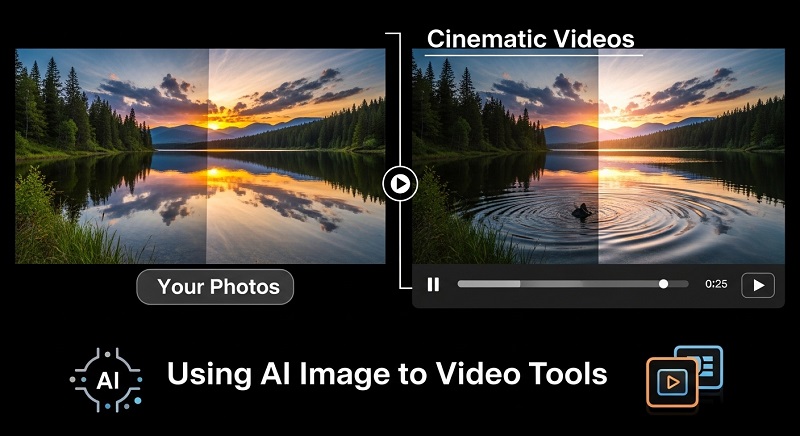
An AI image to video tool takes a still photo as input and generates a short video clip from it. The AI analyzes the image, understands its content, and then adds realistic motion to it. So a photo of ocean waves starts to move. A portrait of a person blinks and shifts. A city skyline comes alive with moving clouds and traffic.
The output is not just a slideshow. It’s a REAL video with smooth, natural motion that looks like it was actually filmed. That’s the power of modern AI.
Why Would You Want to Turn a Photo Into a Video?
More reasons than you might think.
- Social media performance. Videos get significantly more views and engagement than static images on every platform including Instagram, TikTok, and YouTube.
- Storytelling. A moving image tells a much more powerful story than a still one.
- Marketing. Businesses can turn product photos into short ads without hiring a videographer.
- Memories. Imagine turning old family photos into living, breathing clips.
- Creative projects. Artists and designers use this to add a whole new dimension to their work.
And with free tools now available, there’s really no reason NOT to try it.
How Does AI Image to Video Technology Work?
You don’t need to understand the technical side deeply, but a basic idea helps.
Modern AI video generation models are trained on millions of hours of video footage. Over time, they learn how objects in the real world MOVE. Water flows a certain way. Leaves sway in wind. Human faces have micro expressions. Fire flickers. Light changes.
When you give the AI a photo, it uses this knowledge to predict what motion would look like in that scene and then generates it frame by frame. The result is a video that looks completely natural, even though no camera was ever involved.
The more advanced the AI model, the more realistic and cinematic the output. That’s why tools powered by Google VEO 3.1, like the ones on VEOAIFree.com, produce results that honestly compete with professional video production.
Step by Step: How to Turn Your Photo Into a Video for Free
This is the practical part. Let’s walk through it.
Step 1: Choose Your Photo
Not every photo will give the same results. For best output, pick images that have:
- Clear subjects with good lighting
- Interesting backgrounds like nature, cityscapes, or textured environments
- A sense of depth, foreground and background elements
- High resolution if possible
Avoid blurry, dark, or very cluttered images for your first try.
Step 2: Go to the AI Animation Generator on VEOAIFree
Head over to the All AI Video Generators page on VEOAIFree.com. You will find the AI Animation Generator and the AI Video Generator from Image tools listed there. Both are completely free, require no signup, and produce watermark free output.
Click on the tool that best fits your need. For photo to video conversion, the Image to Video Generator is your best starting point.
Step 3: Upload Your Photo
Once you’re on the tool page, upload your image. The interface is simple and browser based, so no downloads or installations are needed.
Step 4: Add a Text Prompt (Optional but Recommended)
Most AI image to video tools allow you to add a text prompt alongside your photo. This is VERY important. A good prompt helps guide the AI on what kind of motion to generate.
For example:
- “Gentle ocean waves moving in the background, cinematic and calm”
- “Wind blowing through the trees, golden hour lighting”
- “Clouds moving slowly, dramatic sky, cinematic quality”
The more specific you are, the better the result will be.
Step 5: Select Aspect Ratio and Settings
Choose the right format for your platform:
- 16:9 landscape for YouTube videos
- 9:16 portrait for TikTok, Instagram Reels, and YouTube Shorts
- 1:1 square for Instagram feed posts
Step 6: Generate and Download
Hit the generate button and wait a few seconds. The AI will process your image and create a video clip. Preview it, and if you’re happy, download it. No watermarks, no fees, just your video ready to use.
What Types of Photos Work Best?
Here is a quick reference guide to help you get the most cinematic results:
| Photo Type | Expected Motion | Best Use Case |
|---|---|---|
| Nature landscapes | Moving clouds, wind in grass | YouTube intros, travel content |
| Ocean or water scenes | Wave movement, ripple effects | Relaxation, ASMR content |
| Portraits | Subtle eye movement, breathing | Social media content, art |
| City streets | Moving traffic, people walking | Marketing, urban storytelling |
| Product photos | Subtle rotation or shimmer | eCommerce ads, social posts |
| Fantasy or art images | Dramatic atmospheric motion | Creative projects, gaming content |
Tips to Get CINEMATIC Results Every Time
Getting good results is easy. Getting CINEMATIC results takes just a little more thought. Here are some tips that actually make a difference:
- Use high contrast images. Photos with clear light and shadow depth look more dramatic when animated.
- Write detailed prompts. Don’t just say “make it move.” Say what kind of movement, what mood, what atmosphere.
- Try multiple generations. The AI doesn’t always produce the same result twice. Generate 2 to 3 versions and pick the best one.
- Match the motion to your platform. Calm, slow motion works well for YouTube. Fast and energetic motion works better for TikTok and Reels.
- Combine with music. Once you download your AI video, adding a background track takes it from good to GREAT. Even royalty free music makes a huge difference.
How to Use These Videos Across Different Platforms
Once you have your cinematic AI video, here’s how different creators are using them:
YouTubers are using AI animated photos as channel intros, background visuals, and B-roll footage to make their videos look more professional without extra filming.
Instagram creators are turning portrait photos and travel shots into stunning Reels that perform far better than static posts.
TikTok users are animating everything from pet photos to product images and seeing significantly higher engagement on these posts.
Small business owners are converting product photos into short, cinematic advertisement clips without hiring a production team. You can actually use the dedicated AI Advertisement Video Generator on VEOAIFree specifically for this purpose.
Artists and designers are bringing their digital and traditional artwork to life in ways that were not possible before.
Free vs Paid Image to Video Tools: Is Free Really Good Enough?
A lot of people assume that free tools must be lower quality. That’s a fair assumption. But in 2026, it’s simply not true.
Here’s a honest comparison:
| Feature | VEOAIFree (Free) | Most Paid Tools |
|---|---|---|
| Video quality | Cinematic, HD output | HD output |
| Watermarks | None | Often on free plans |
| Usage limits | Unlimited | Monthly cap |
| Signup required | No | Yes |
| Cost | $0 | $10 to $50 per month |
| AI model used | Google VEO 3.1 | Varies |
| Browser based | Yes | Usually yes |
The gap between free and paid has closed significantly. And when a free tool is powered by Google’s own VEO 3.1 model, the quality honestly speaks for itself.
Bonus: Pair Your Videos With AI Generated Images
Here’s something a lot of creators overlook. Before animating a photo, you can actually CREATE the perfect image using an AI image generator first, and then animate it.
VEOAIFree has a full collection of AI Image Generators that you can use to generate any kind of image from a text prompt. Fantasy scenes, realistic portraits, product mockups, artistic illustrations, whatever you need.
Generate the image. Then animate it. The entire workflow is free, browser based, and takes less than two minutes from start to finish.
This is a workflow that professional content creators are adopting quickly because it removes every single bottleneck in the content creation process.
Final Thoughts
Turning photos into cinematic videos is no longer a complicated, expensive process. In 2026, it is literally a few clicks away.
Whether you’re a content creator looking to level up your social media presence, a business owner who needs quick marketing content, or just someone who wants to give their memories a new life, AI image to video tools are one of the most practical and powerful technologies available right now.
And the fact that you can access them for FREE on VEOAIFree.com, with no signup, no limits, and no watermarks, makes it a complete no-brainer.
Go pick a photo. Any photo. And see what the AI does with it.
You will probably be surprised.